
Built for iPad
Mark paper without staying on paper.
One-click imports, faster marking, clearer feedback, and deeper analysis for every class set.
Less flicking. More marking.
Nib aims to streamline the marking process, making it faster, more efficient and providing instant in-depth data insights.
On-paper or on-screen.
Built for traditional paper assessments while supporting modern digital workflows, ready for your transition to on-screen assessments.
Speed and accuracy.
However you mark, Nib is built to get the job done faster, with fewer errors, and more consistent feedback for students.
Natural yet powerful.
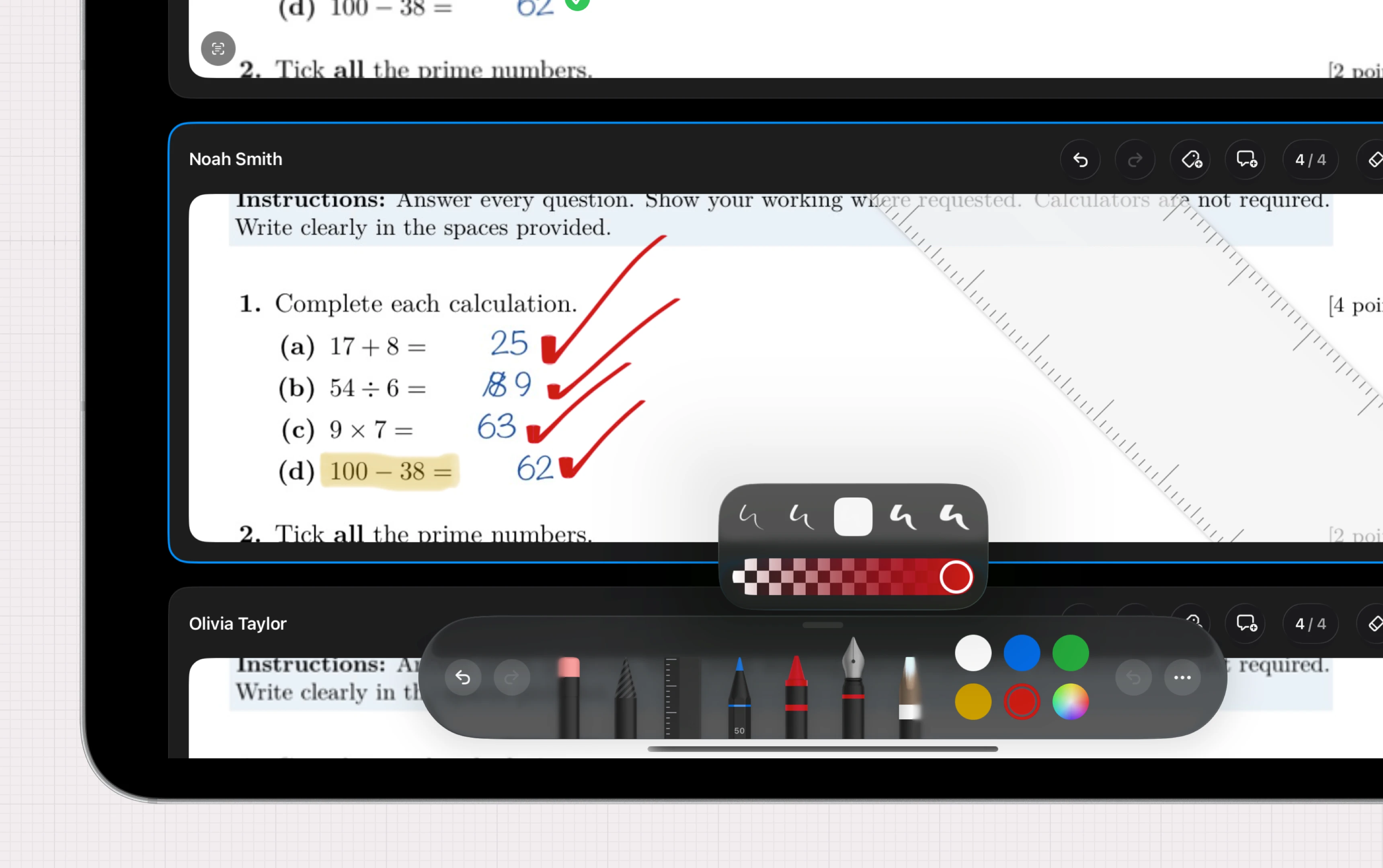
Native Apple Pencil support makes marking feel smooth and natural with no learning curve, while additional powerful tools are available for those who want to go further.
Nothing is ever lost or shared.
Everything is stored locally on your iPad, with optional iCloud syncing between your devices and recovery options. We never have access to your data or any external servers.
Template authoring
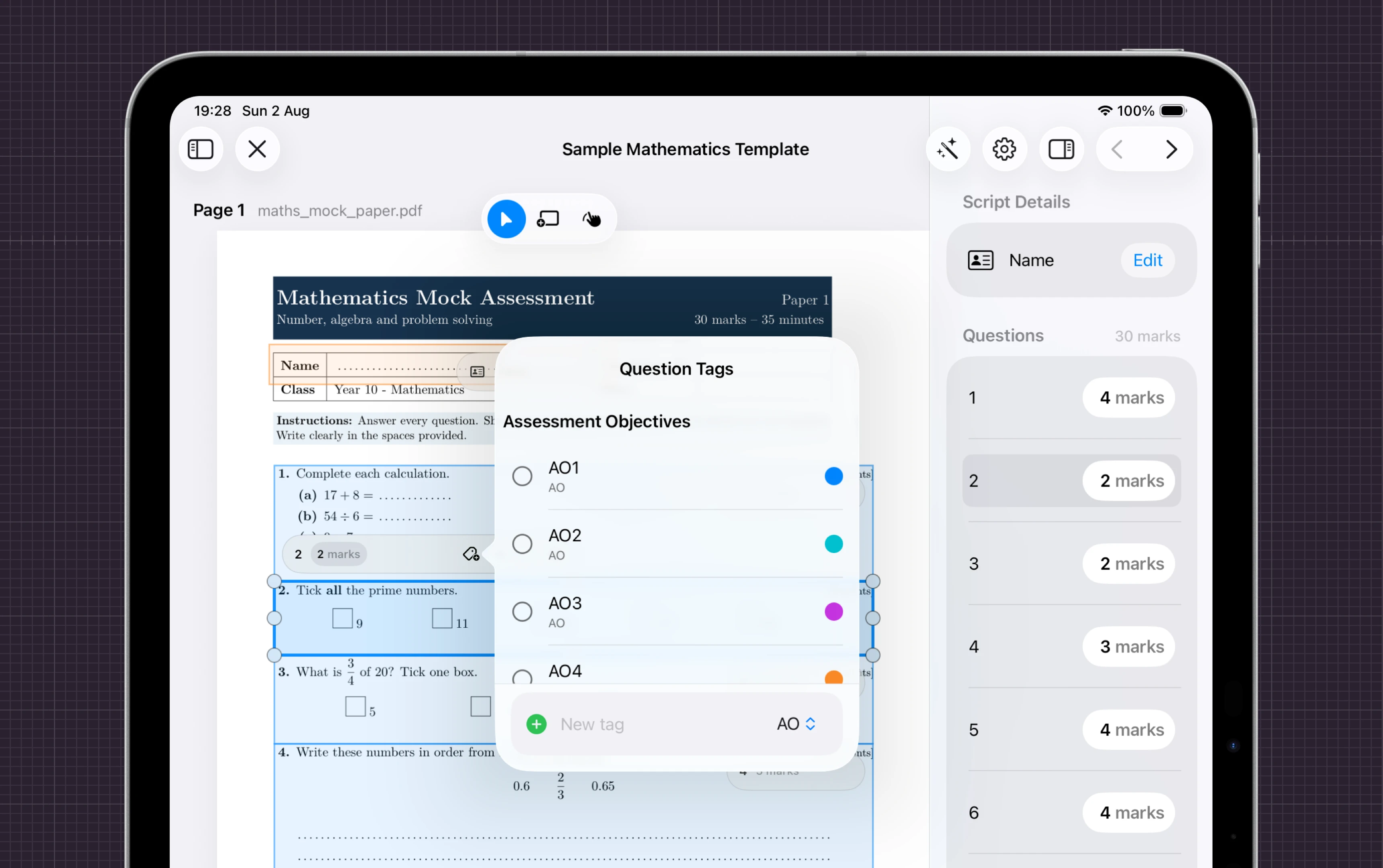
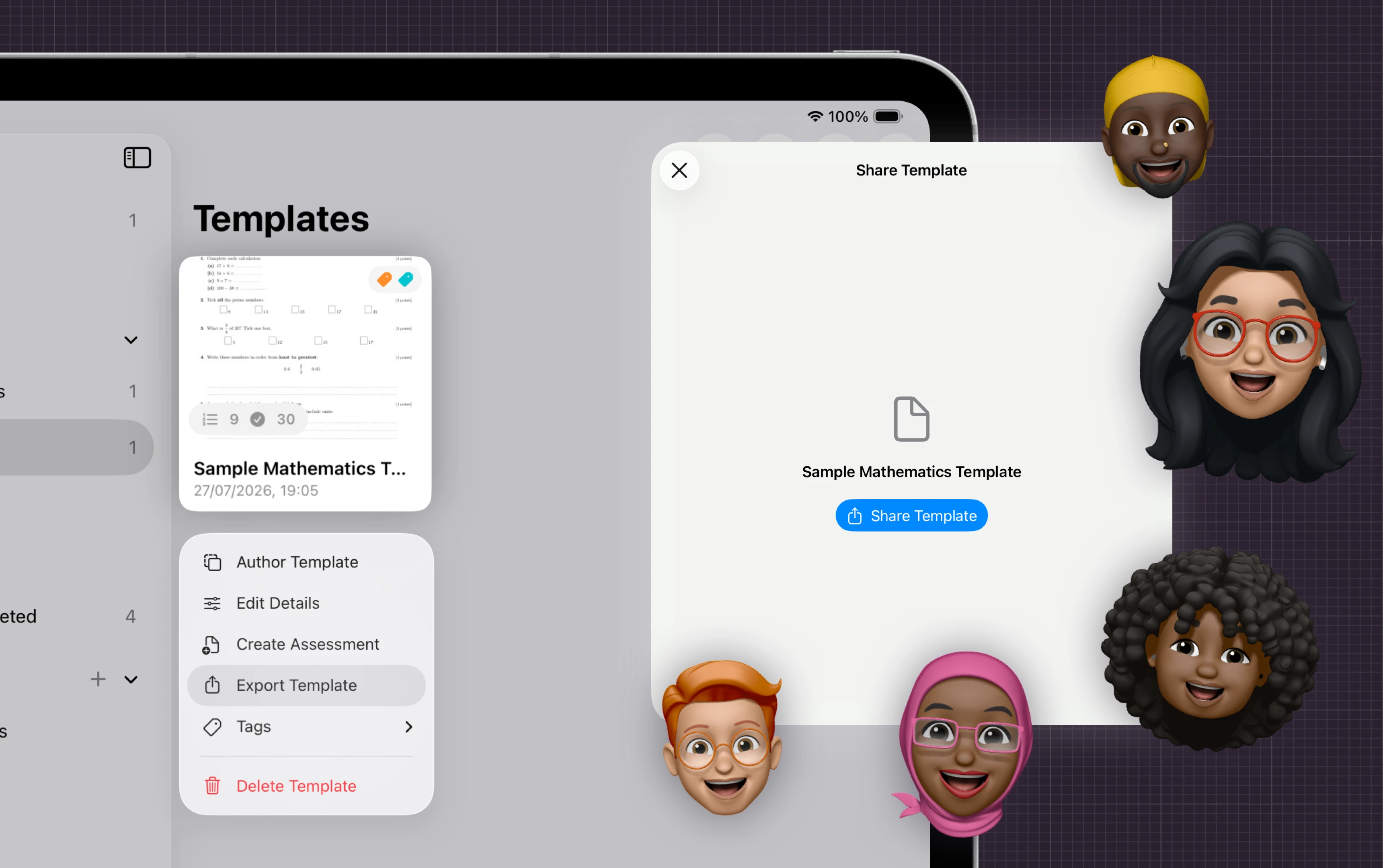
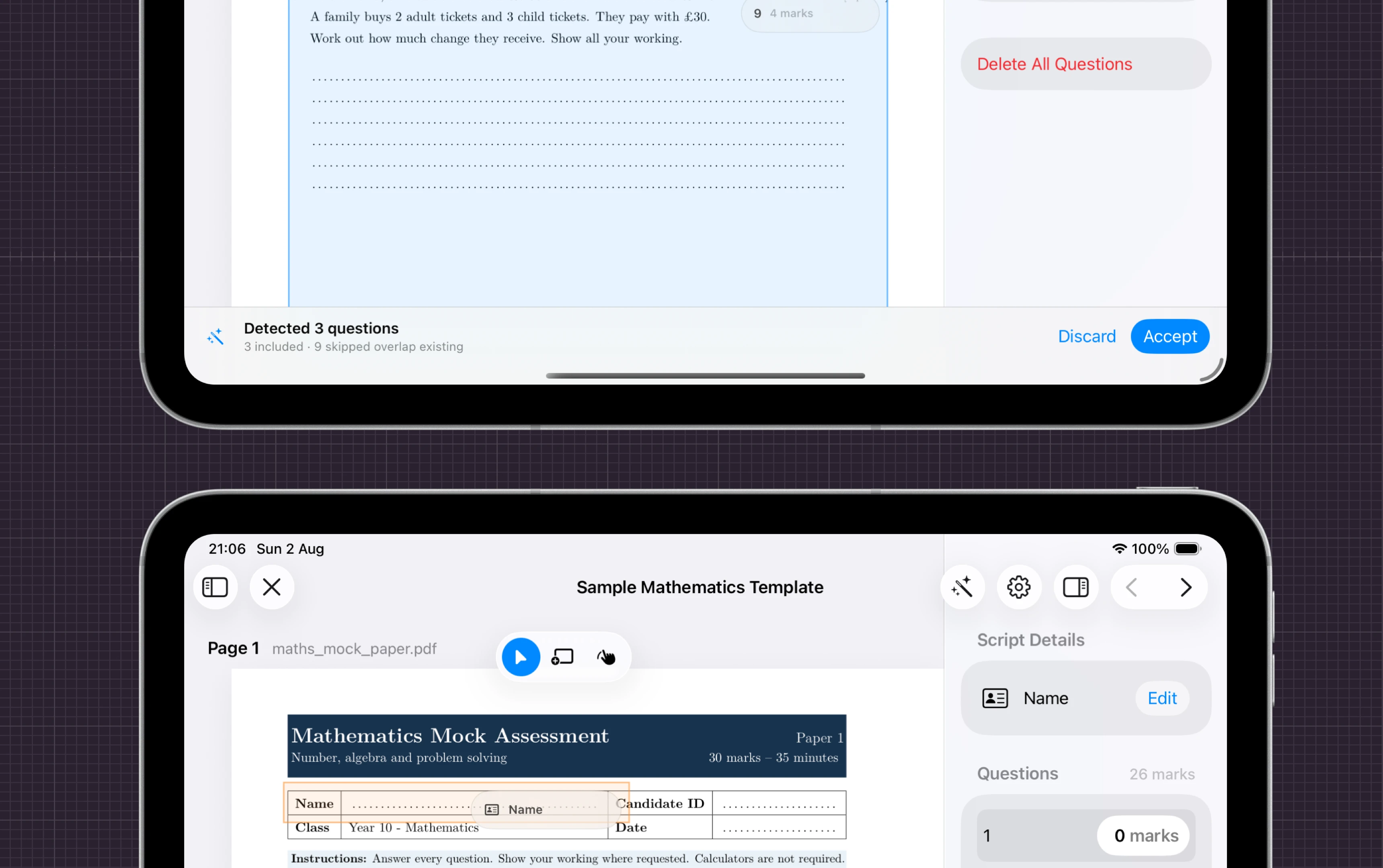
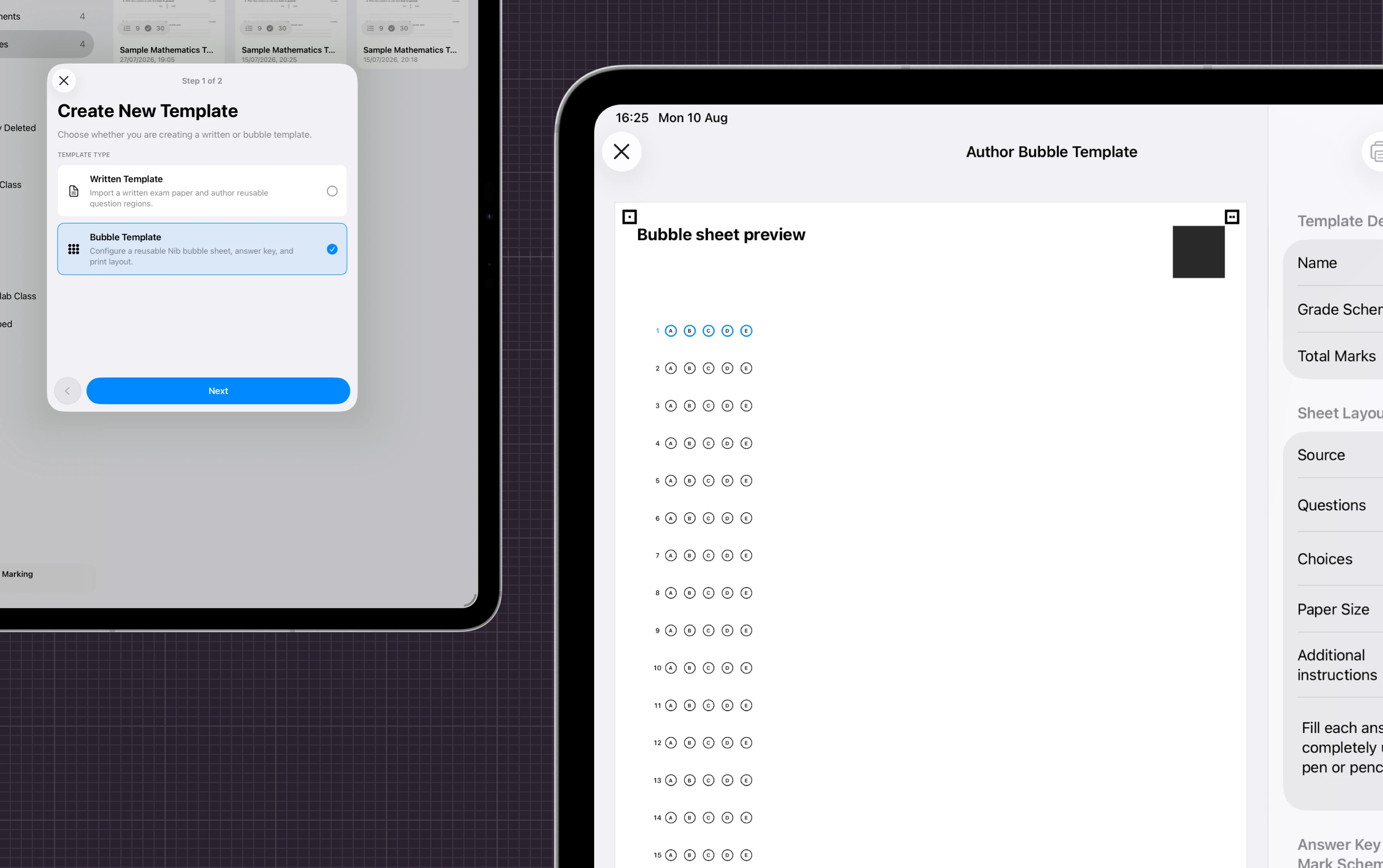
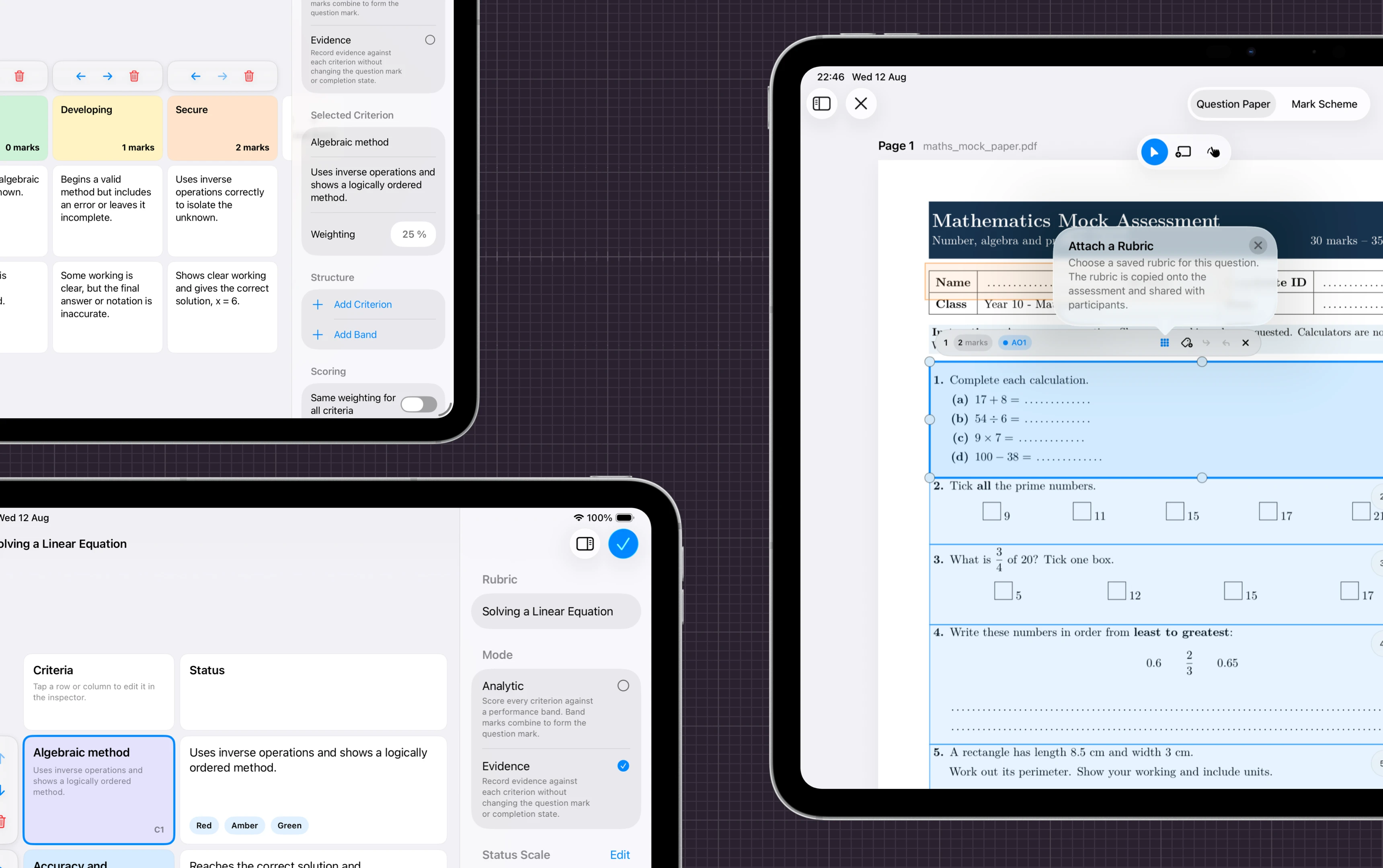
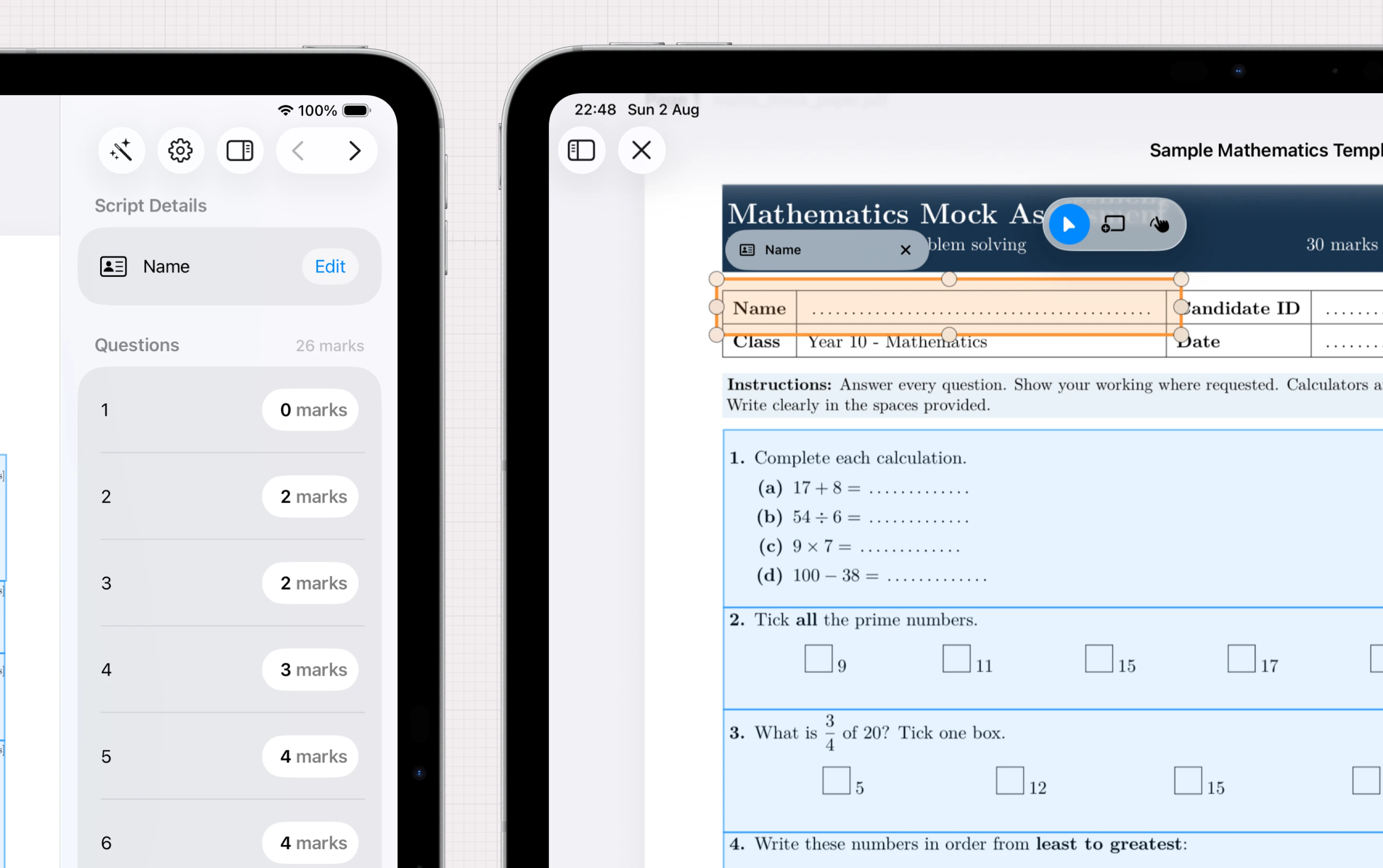
Map the paper once. Mark every script the same.
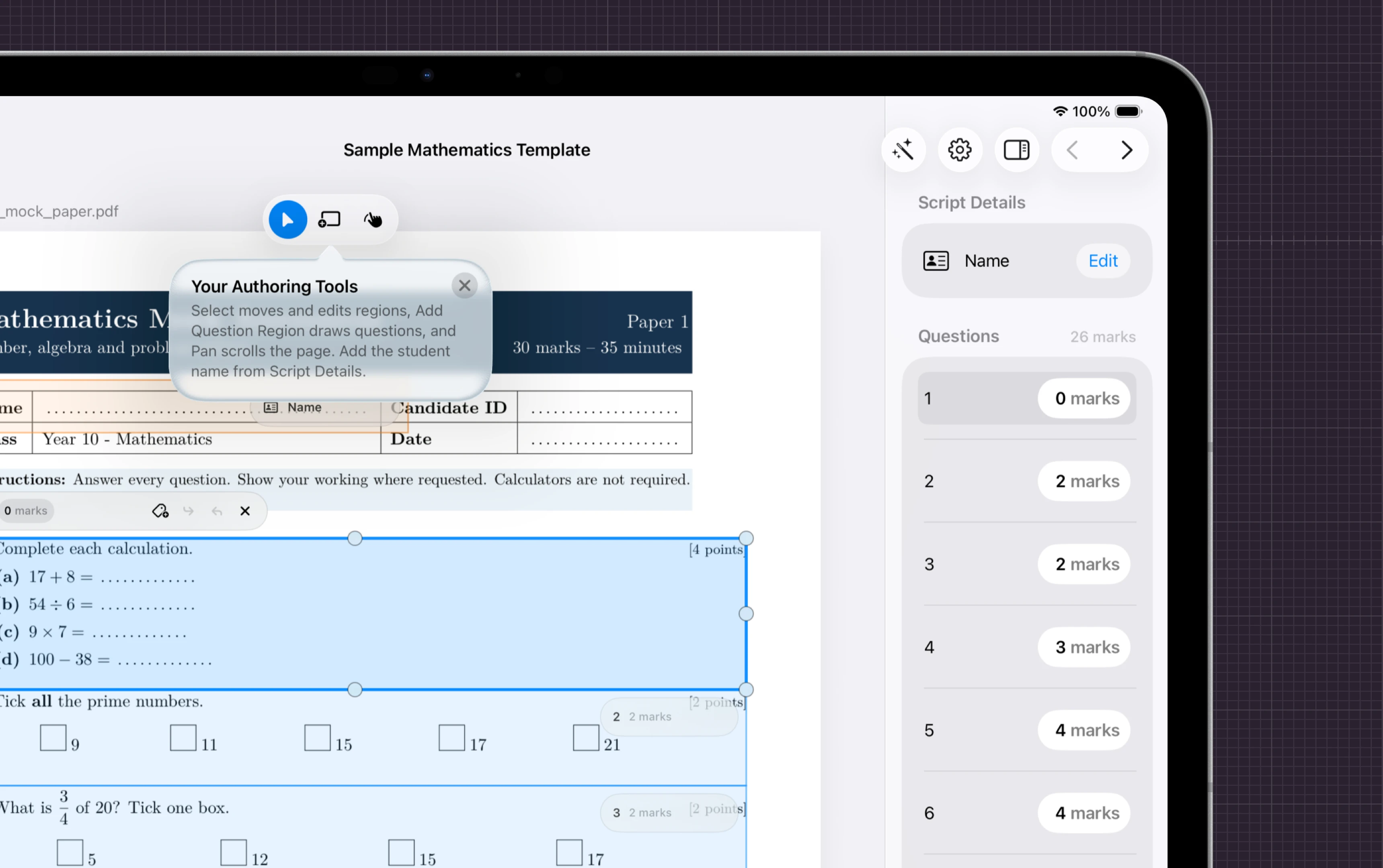
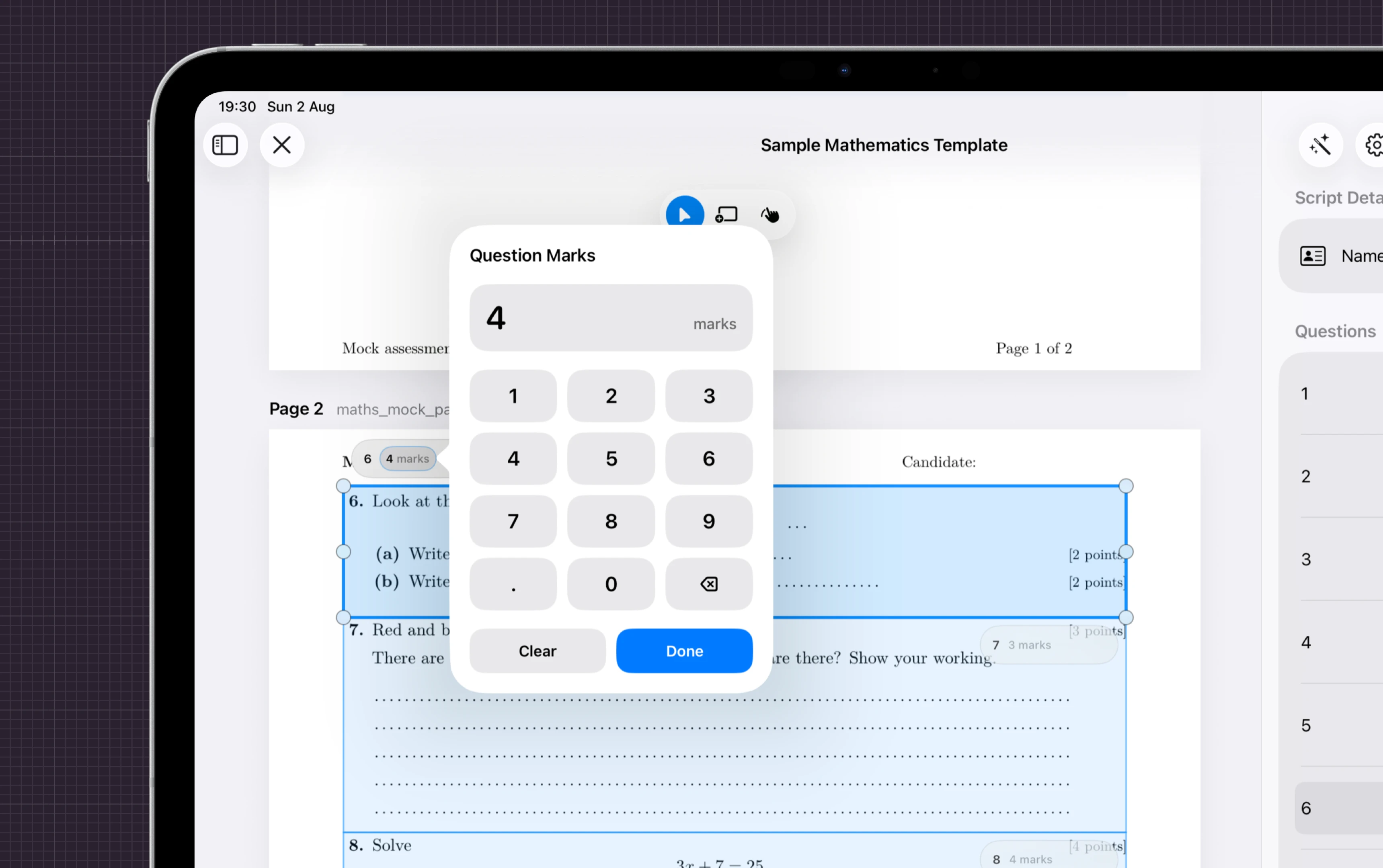
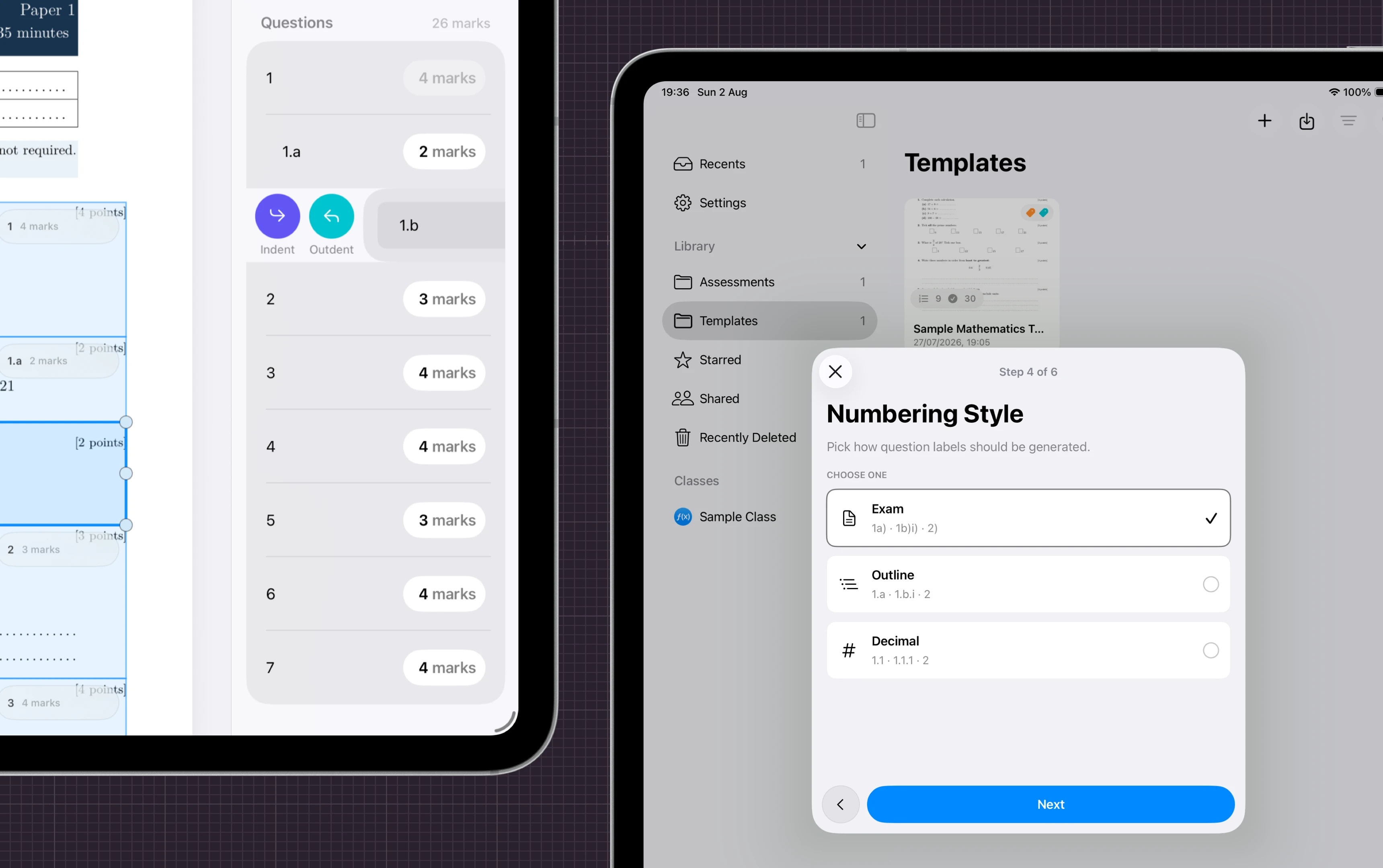
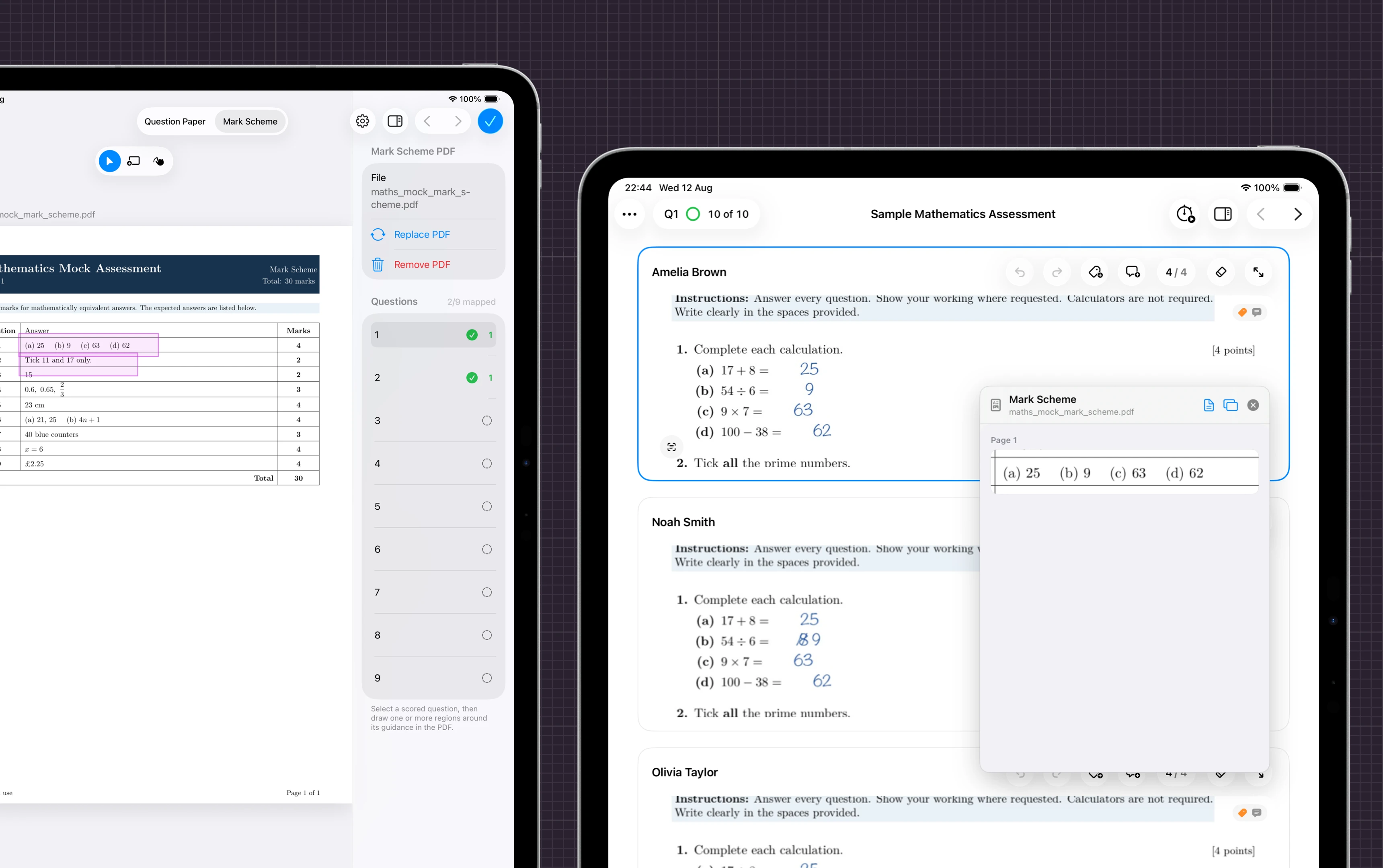
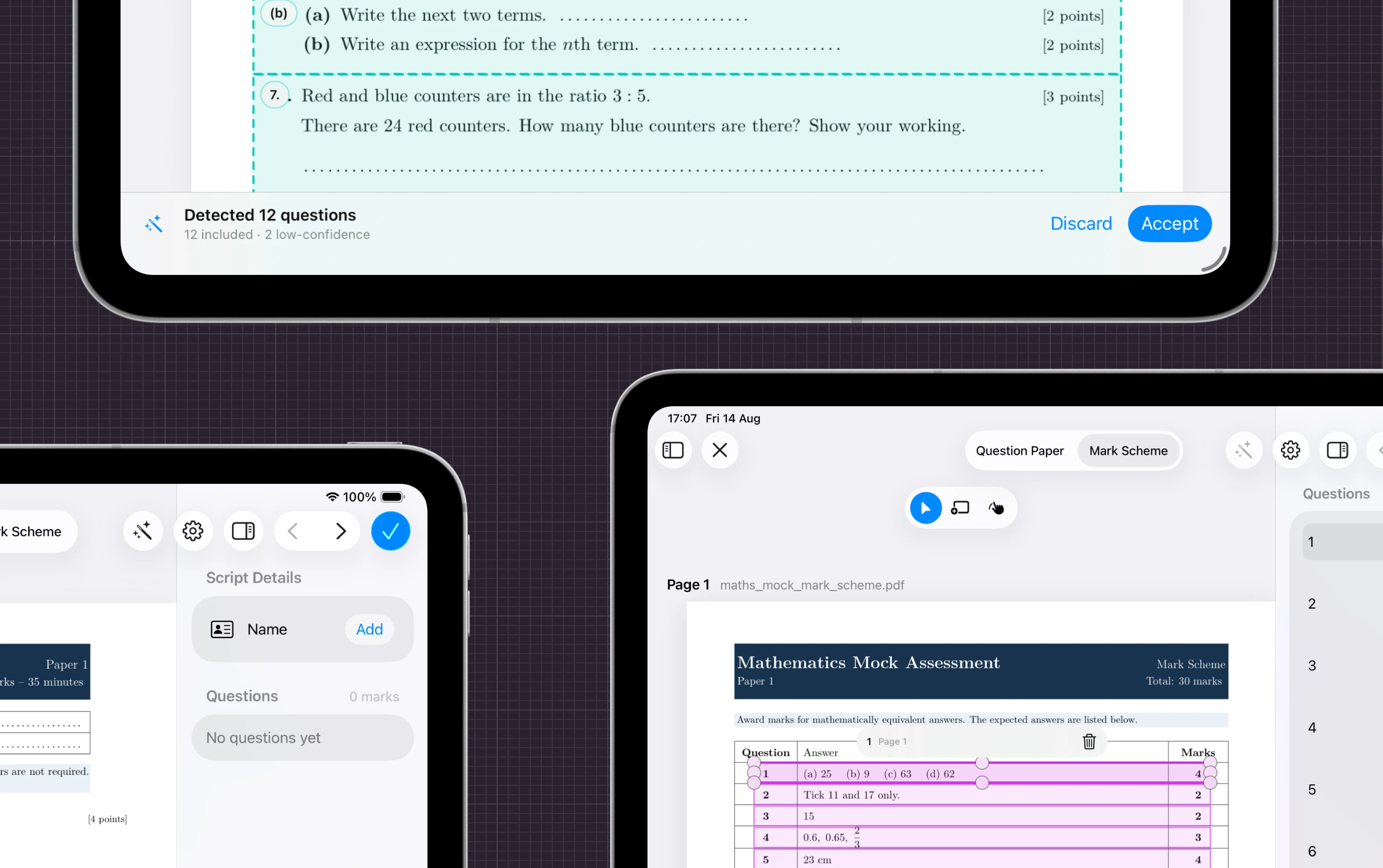
Import your assessment, draw the question regions, attach rubrics, mark schemes and custom tags — or let Nib do the magic and detect them for you.
Importing
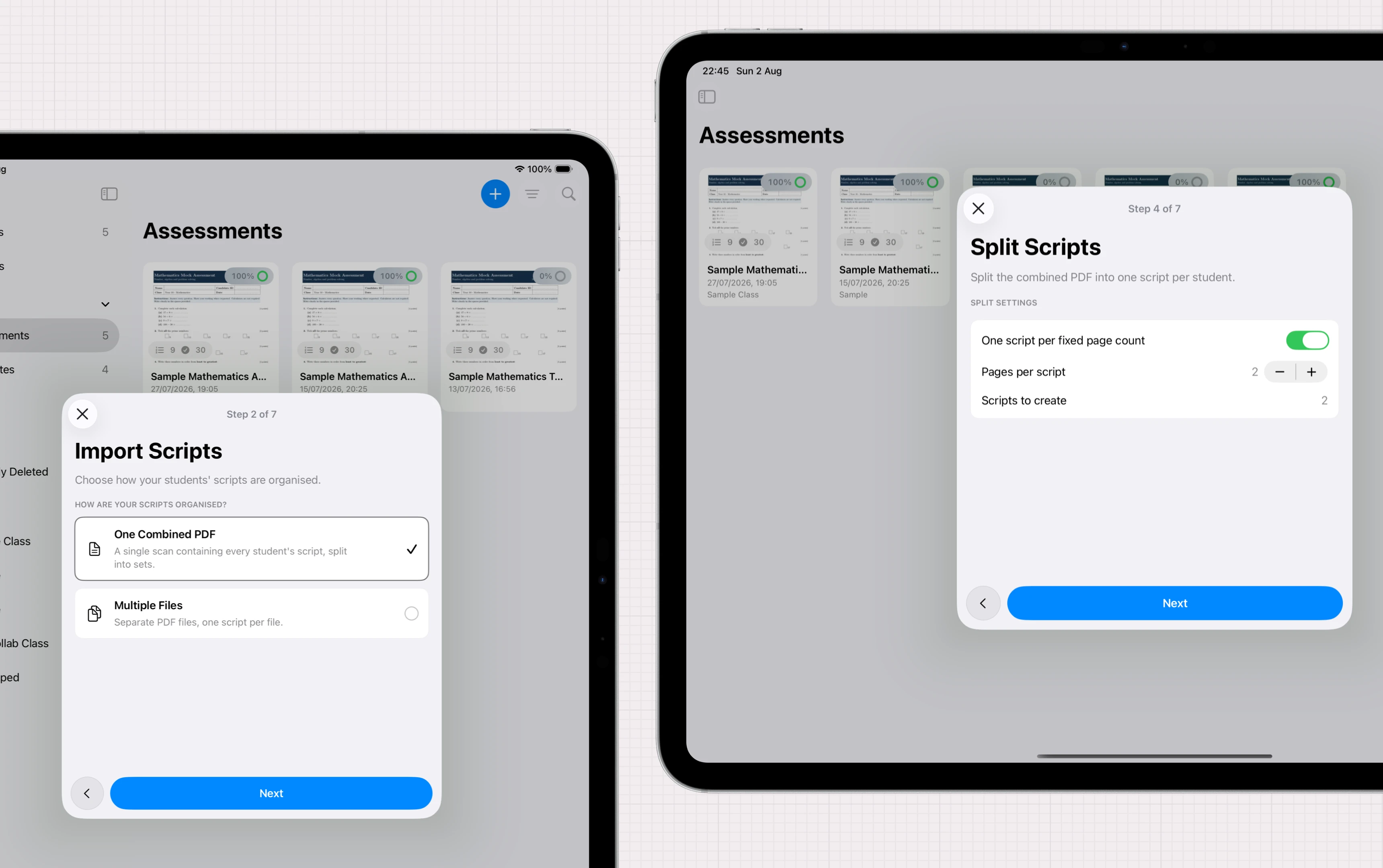
Get started quickly all in one place.
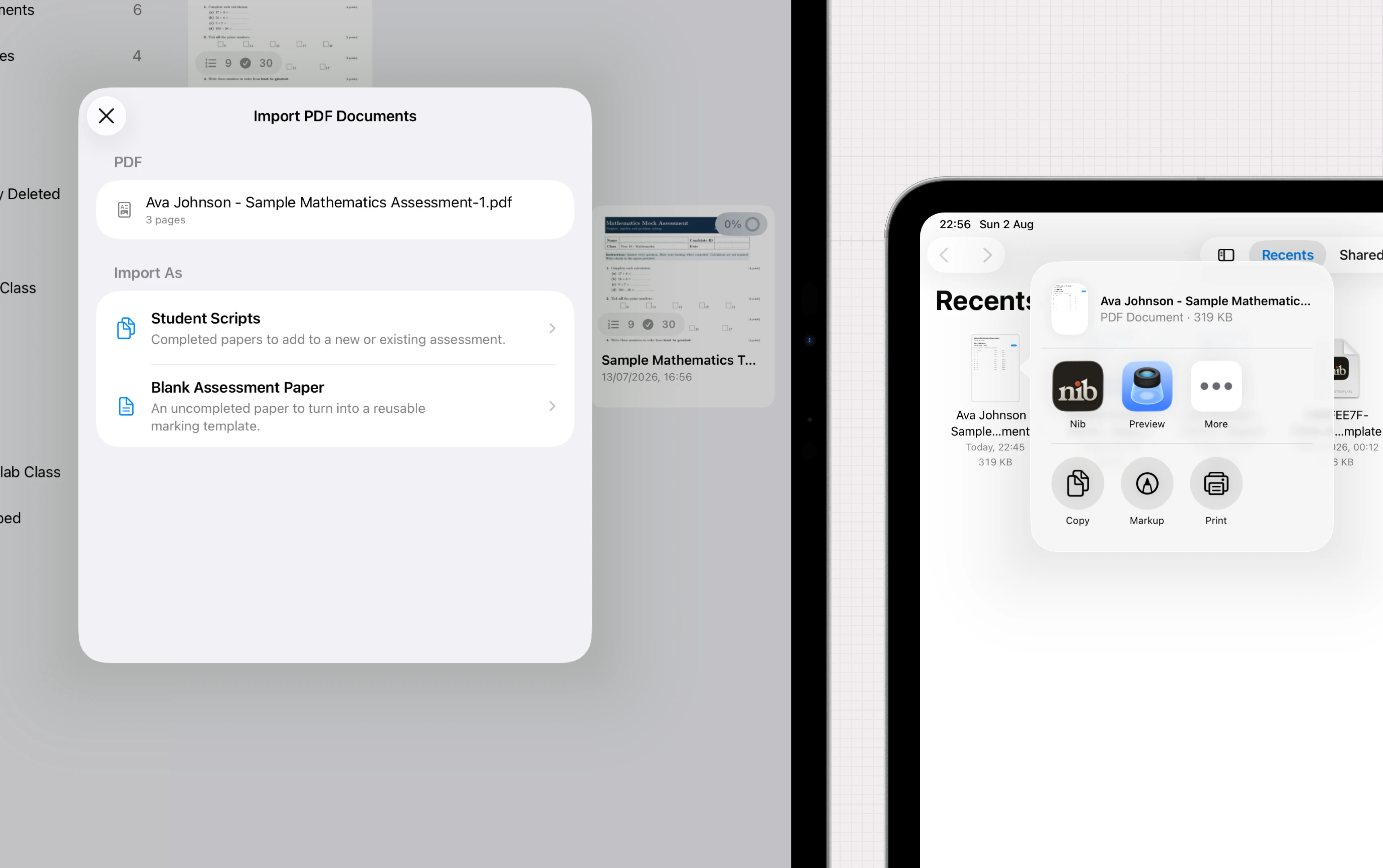
Scan with the camera, or import PDFs and photos. Let Nib guide you the rest of the way.
Our marking suite
Everything a red pen does — and more. Faster.
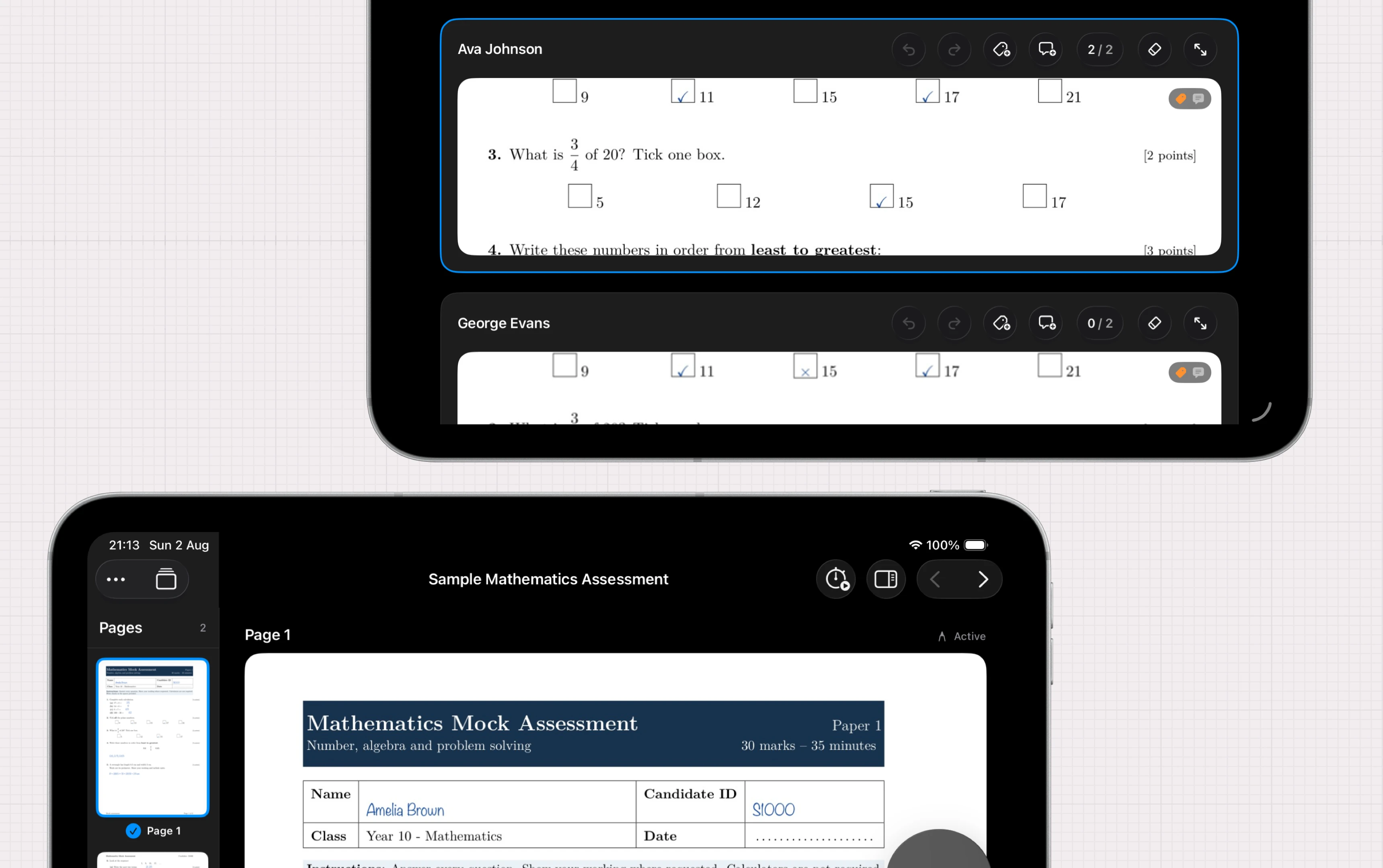
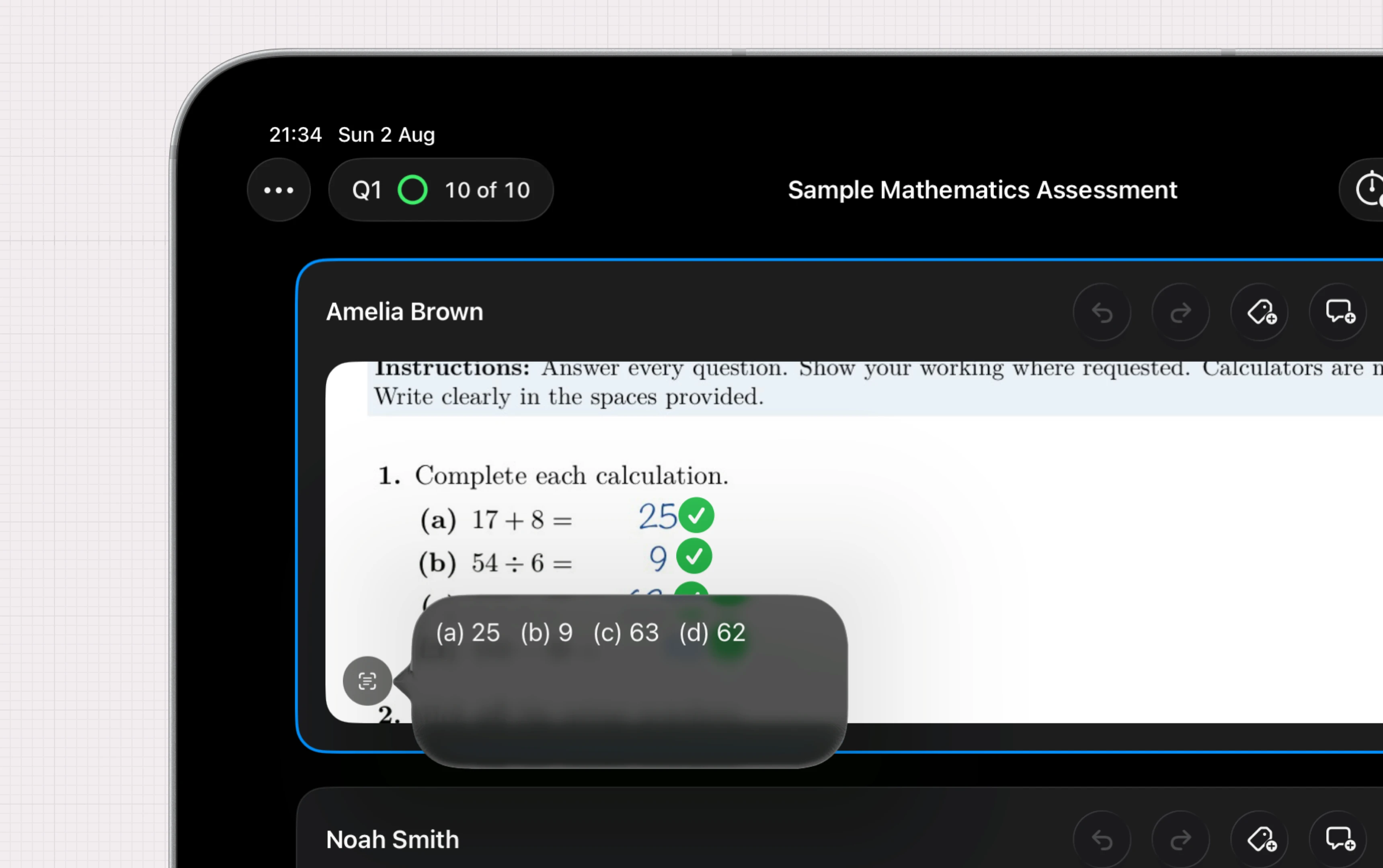
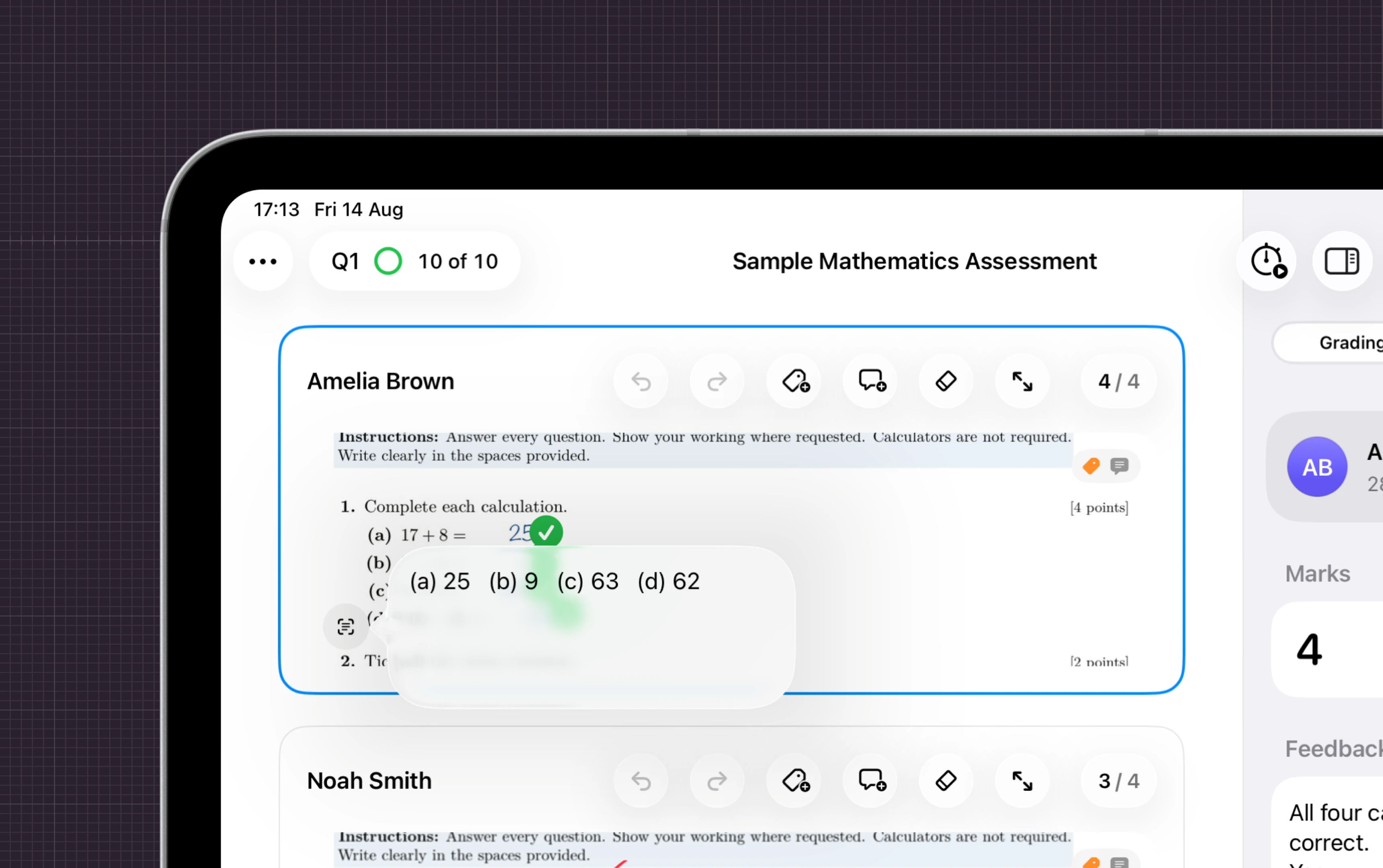
Tick, annotate, score, comment and export — all in one place, on your iPad with native Apple Pencil support.¹
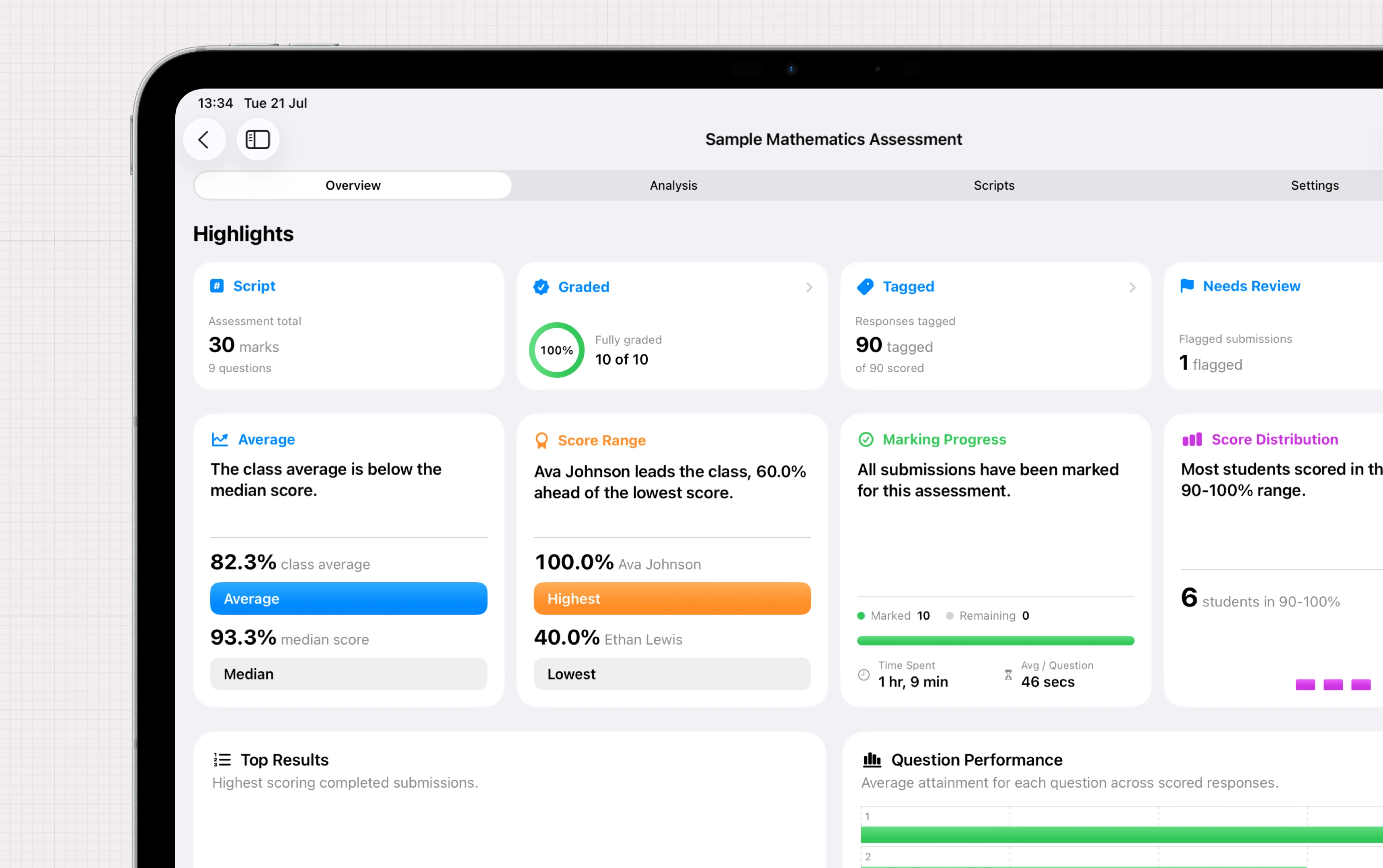
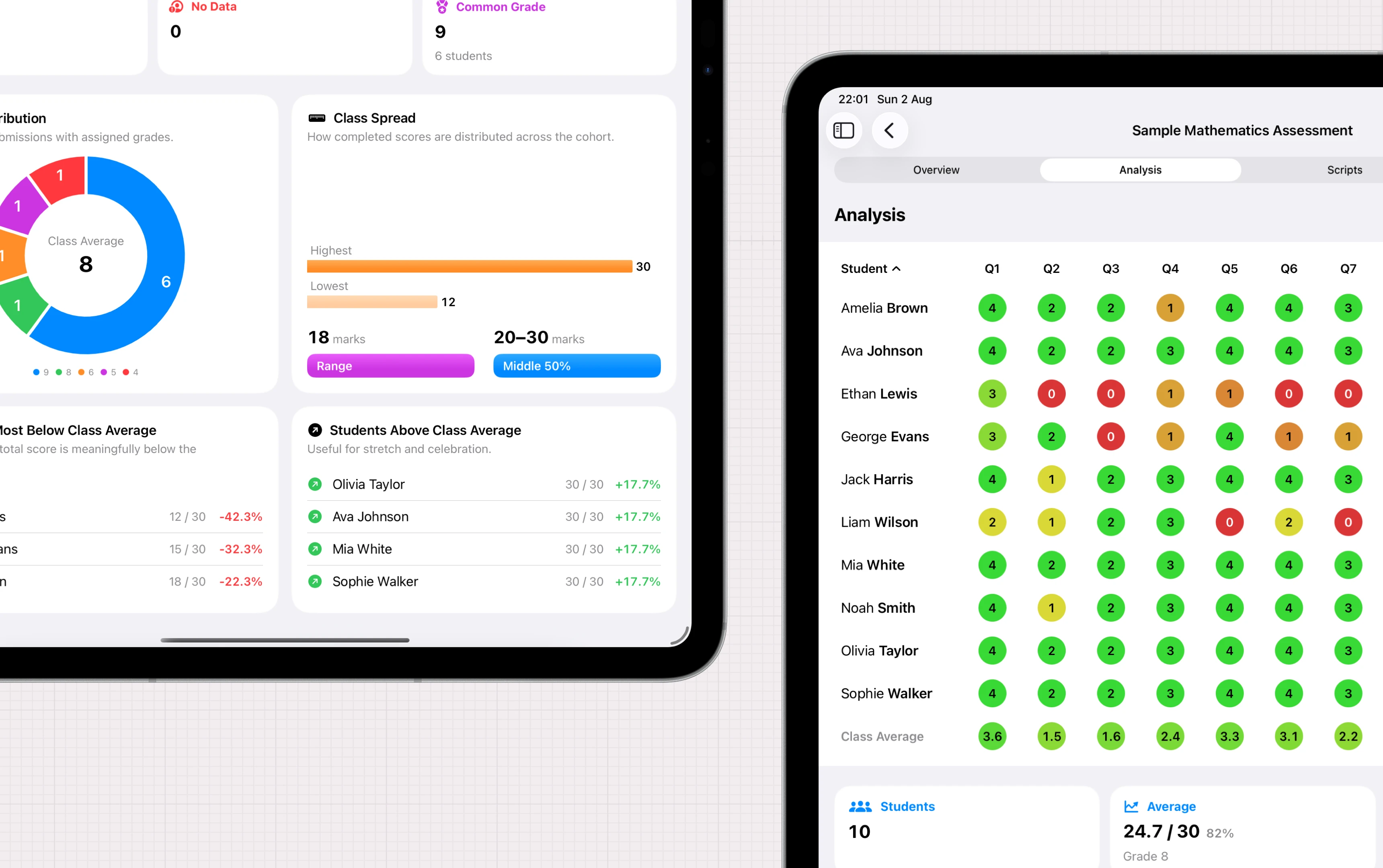
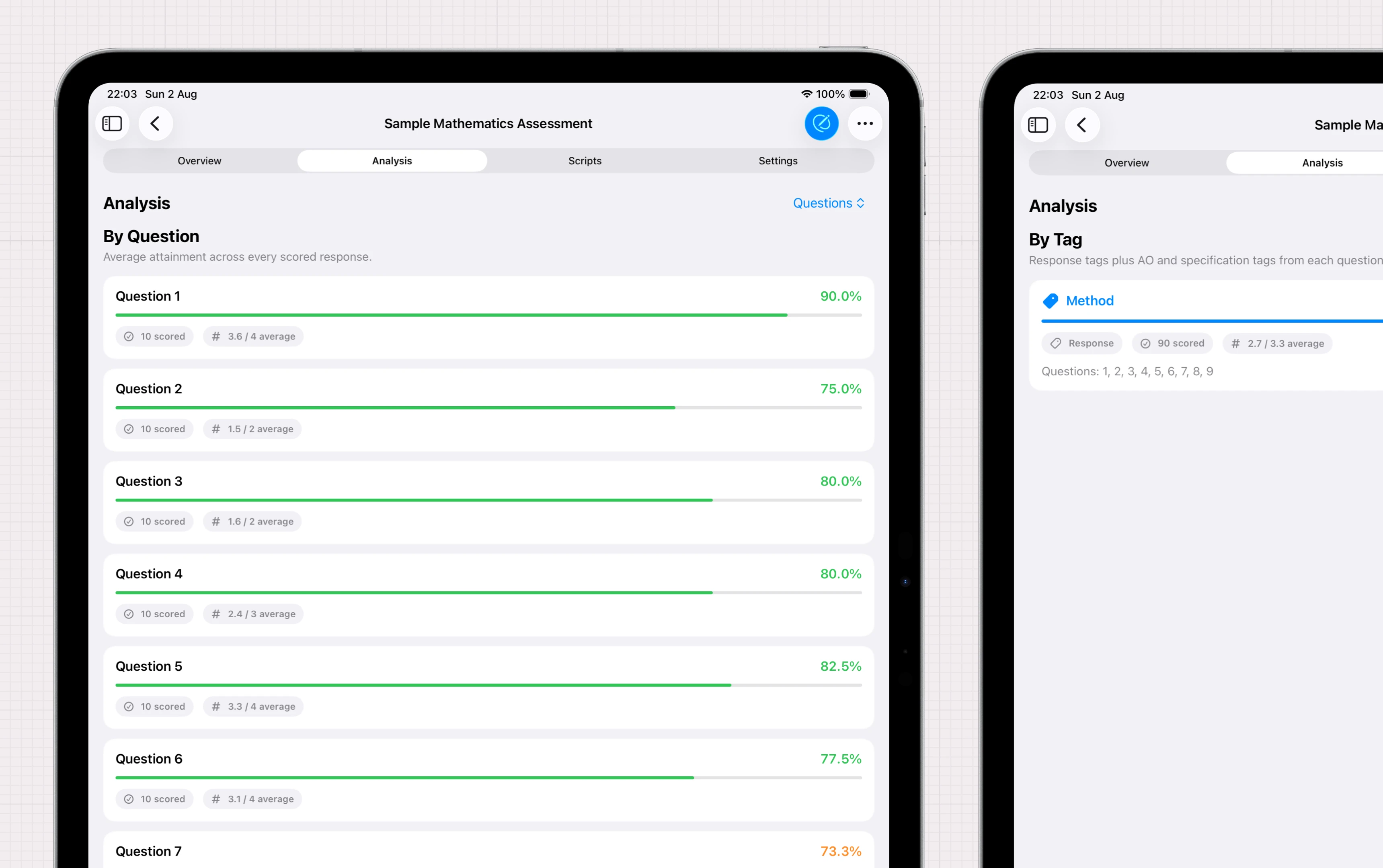
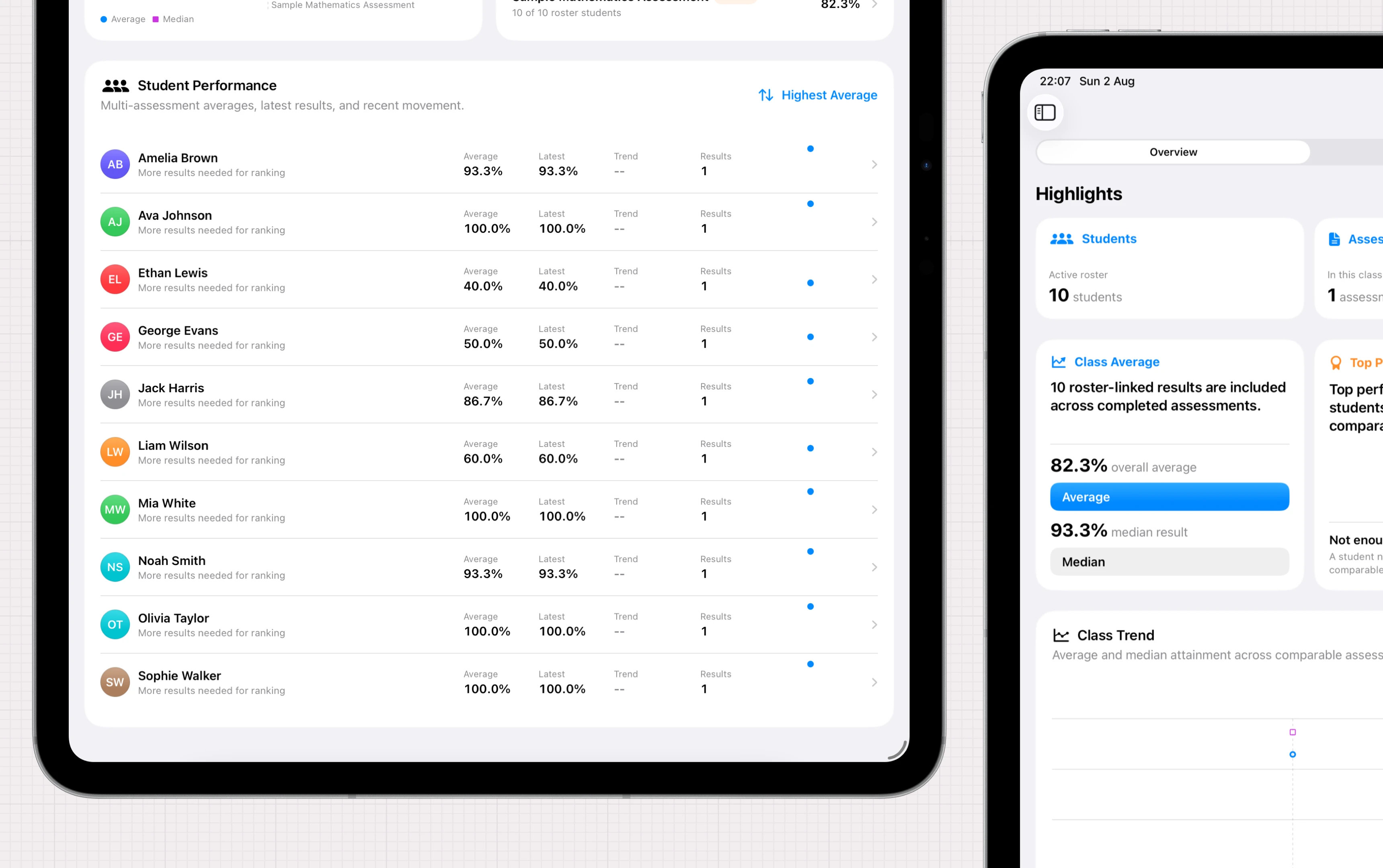
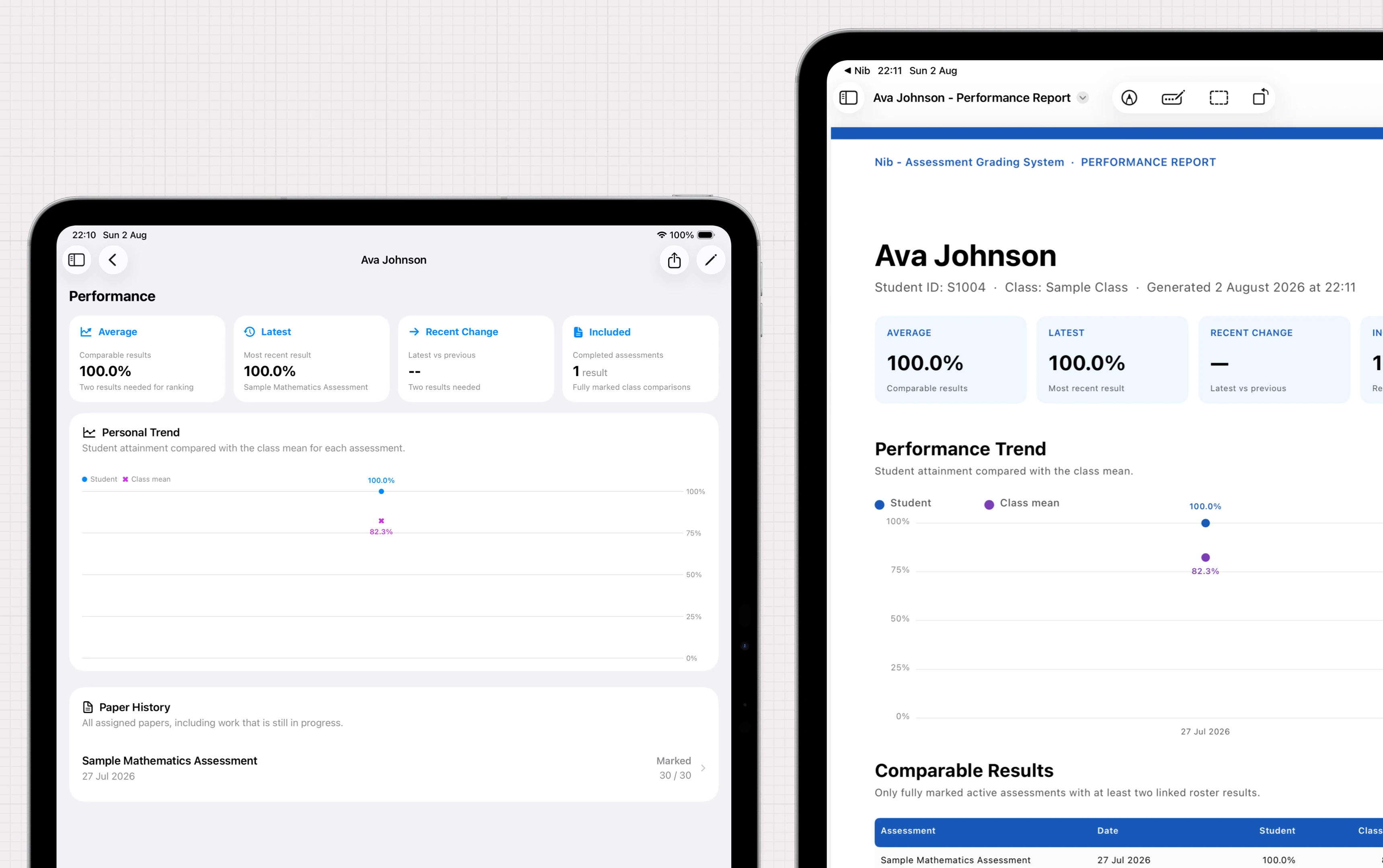
On-device analysis
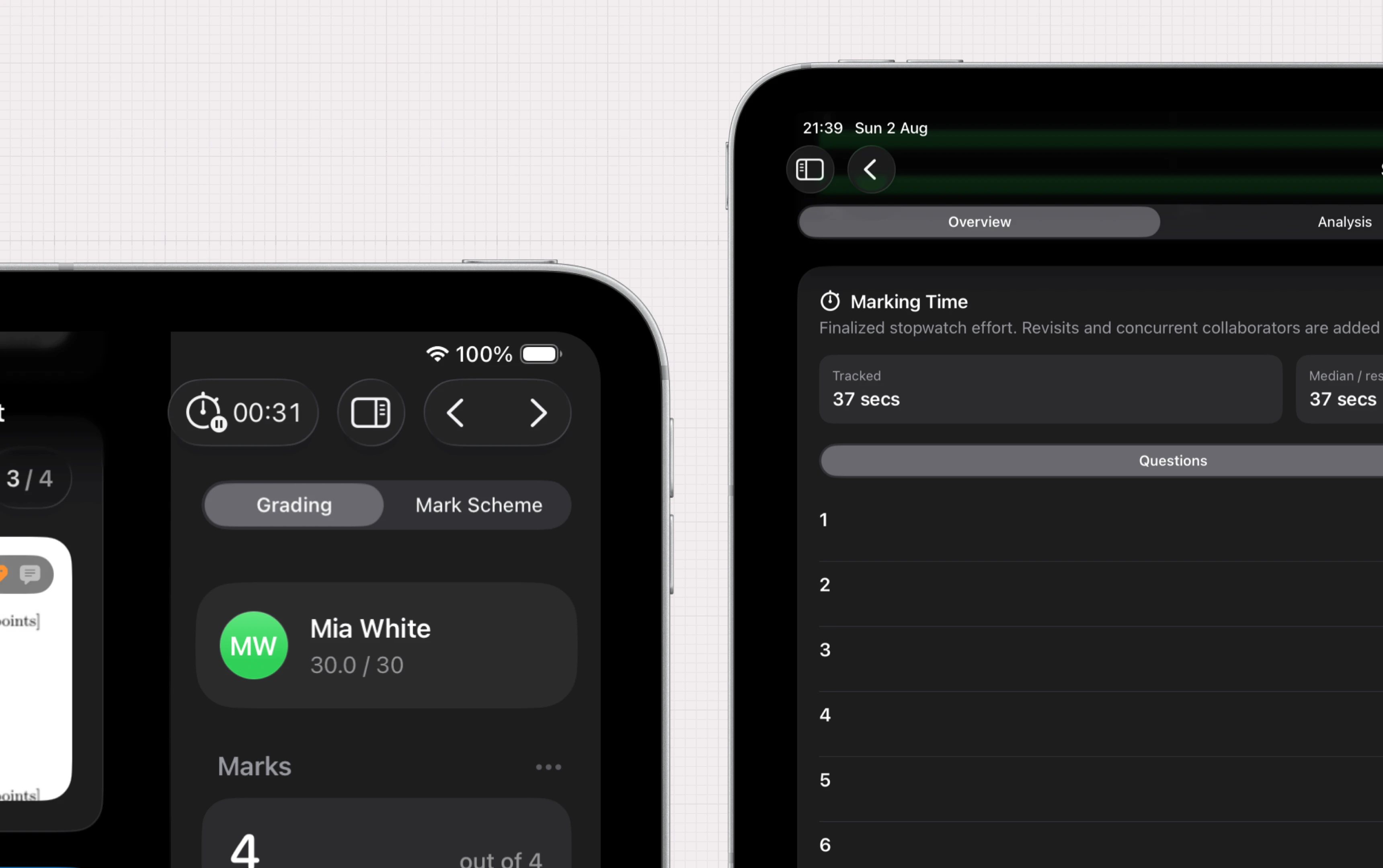
Analysis and insights, instantly.
In-depth analysis generated as you mark and exported as you like.
Collaboration
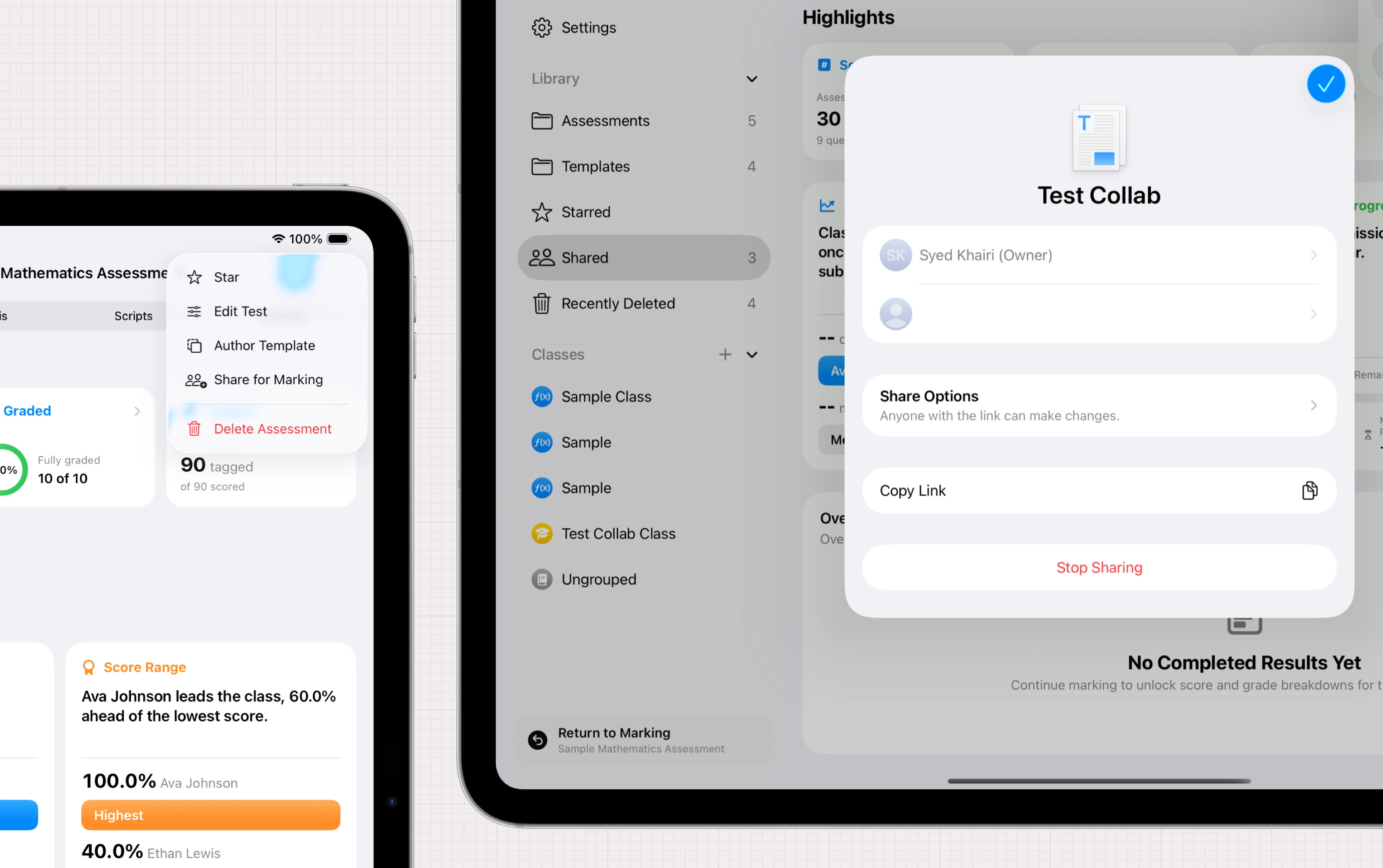
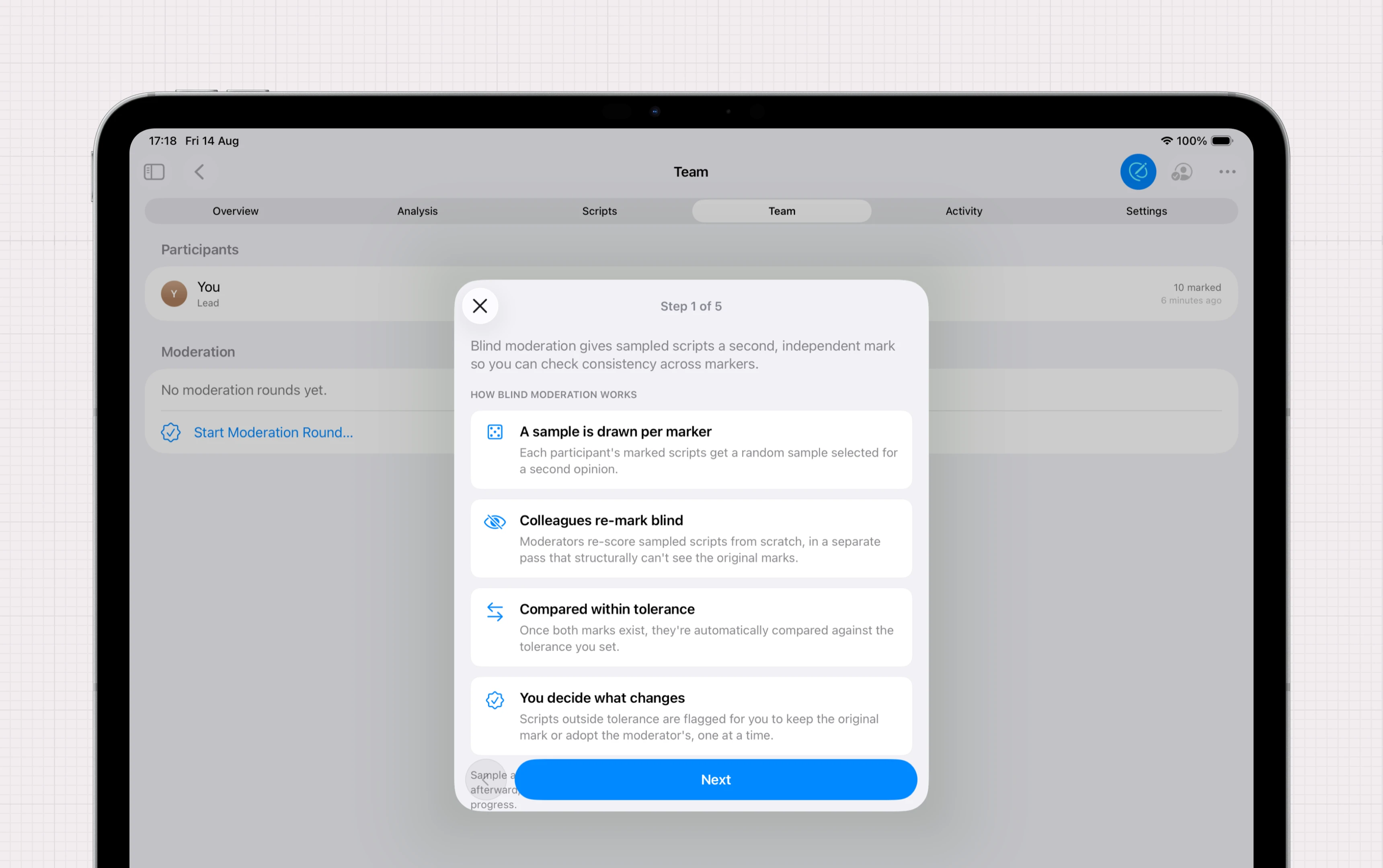
Mark together. Agree together.
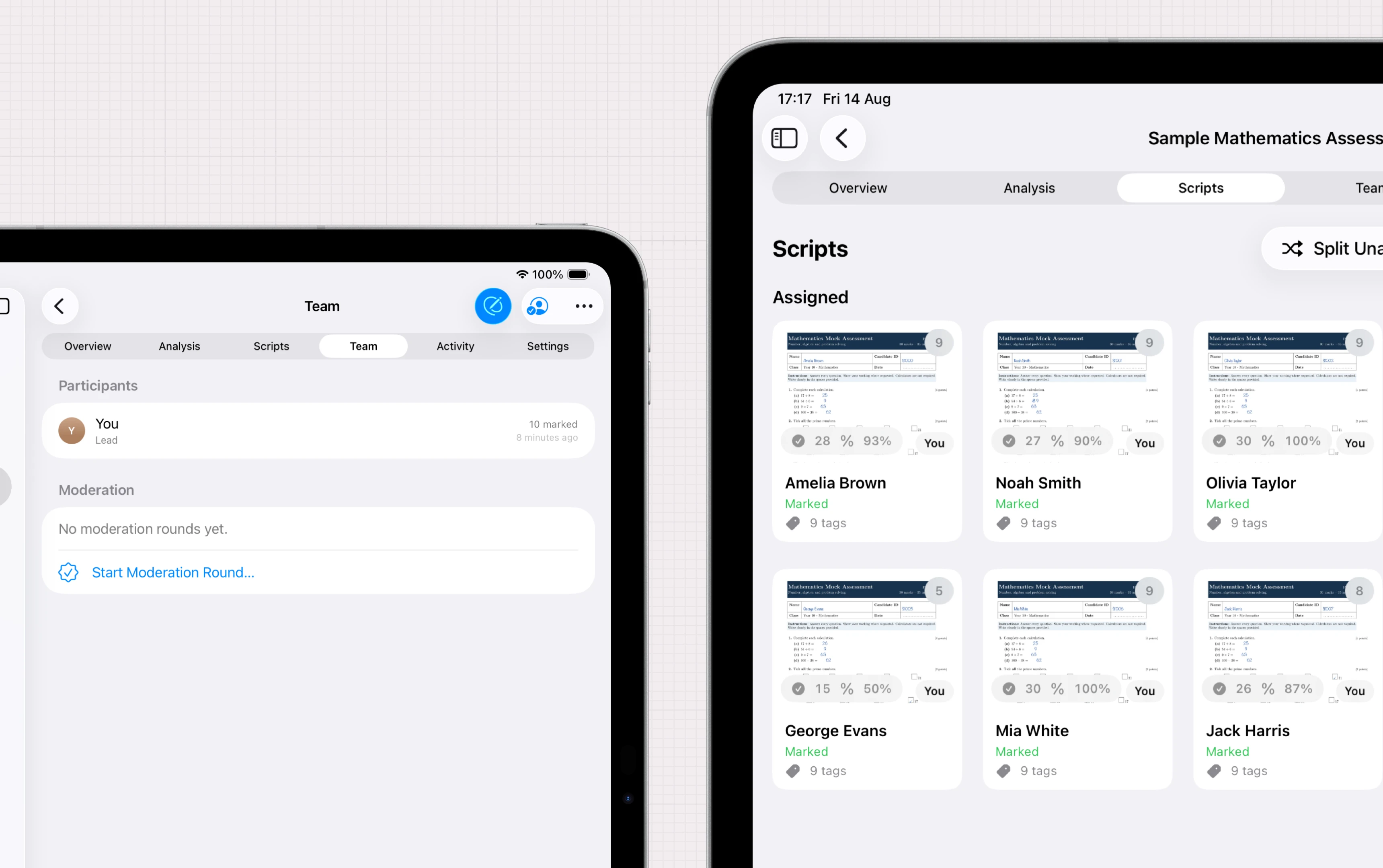
Share your marking load with colleagues, and go further with our moderation or standardisation tools.
Intelligence
Work smarter, not harder.
Nib uses on-device machine learning³ to let you work more efficiently — all without sending any data to any external servers or third parties.
Import. Mark. Export.
Import the entire pile
Scan with the camera or drop in PDFs. Nib splits the pile into one script per student.
Mark question by question
Apple Pencil in hand: tick, annotate, tap a score, drop a comment — wherever you are, all on one device.
Export the results
Scores, grades and per-question analysis, ready to return to students or your department.
And there's more.
iCloud syncing²
Your marking follows safely across your devices.
Offline-first
Everything works with no connection at all.
30-day recovery
Anything you delete can be restored for a month.
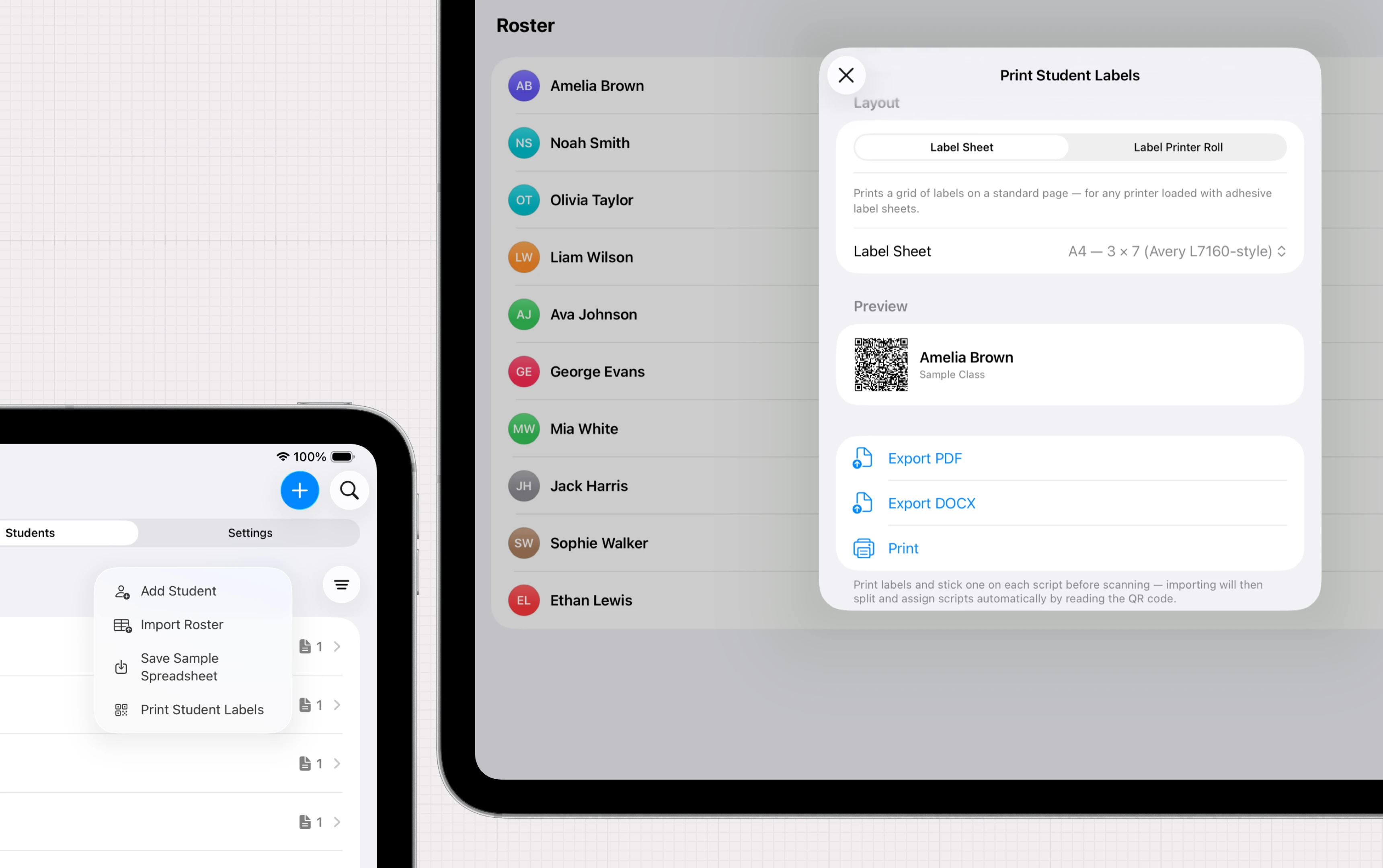
Roster import
Class lists from CSV or Excel in seconds.
Grade schemes
Custom boundaries and bands per assessment.
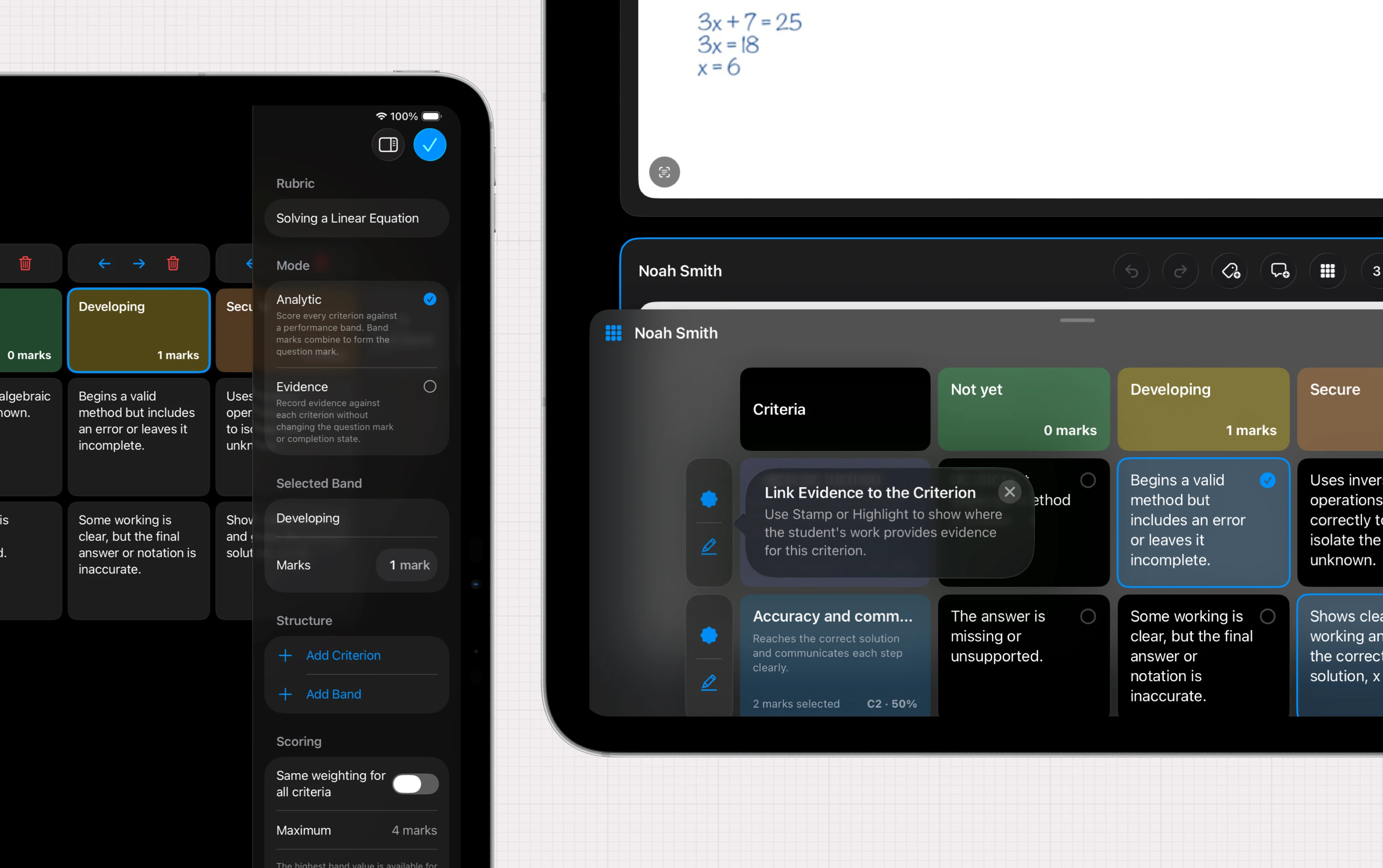
Rubric scoring
Criteria and bands, tap-to-score per question.
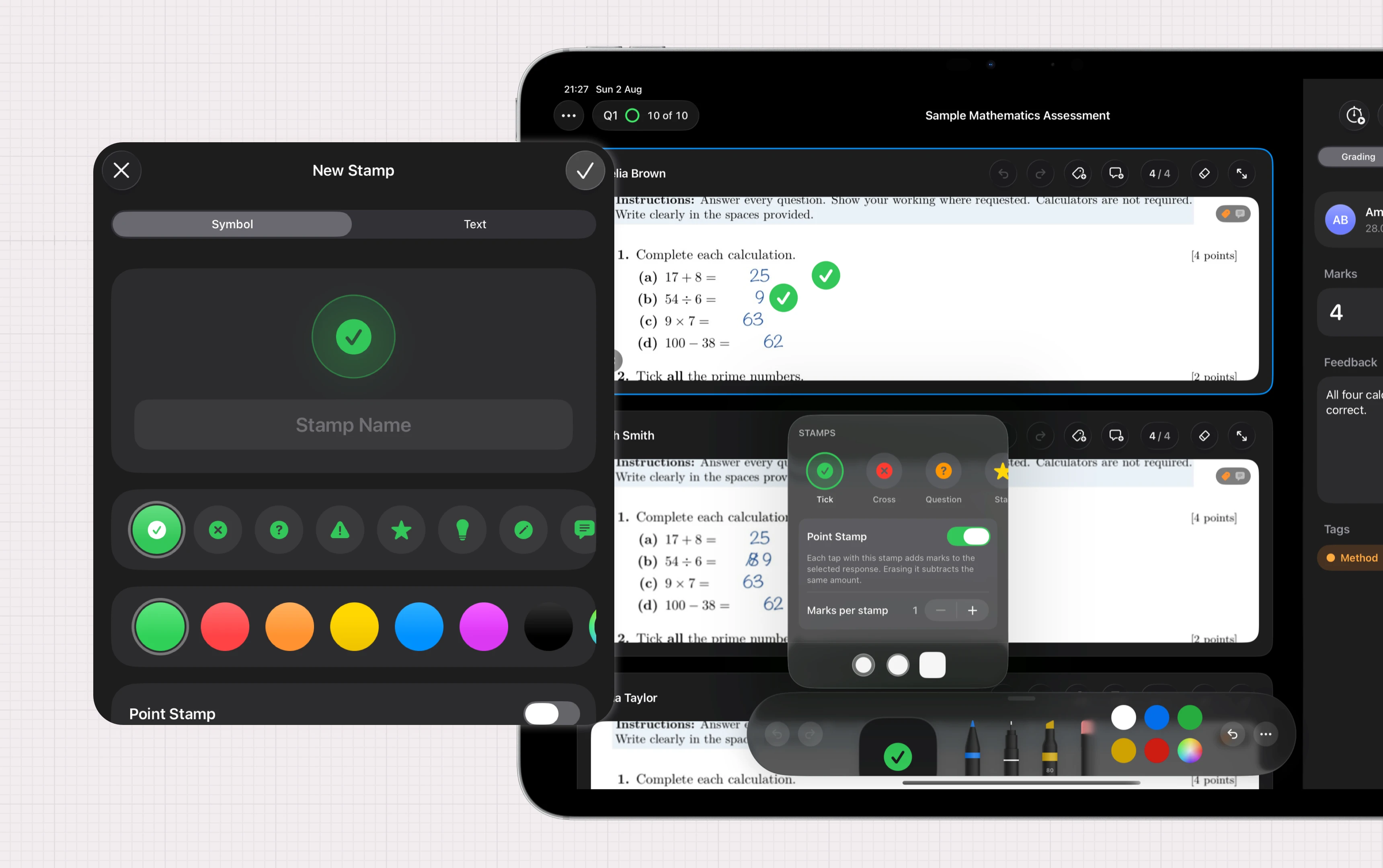
Stamps
Configure your own marking codes with stamps, including stamp per point feature.
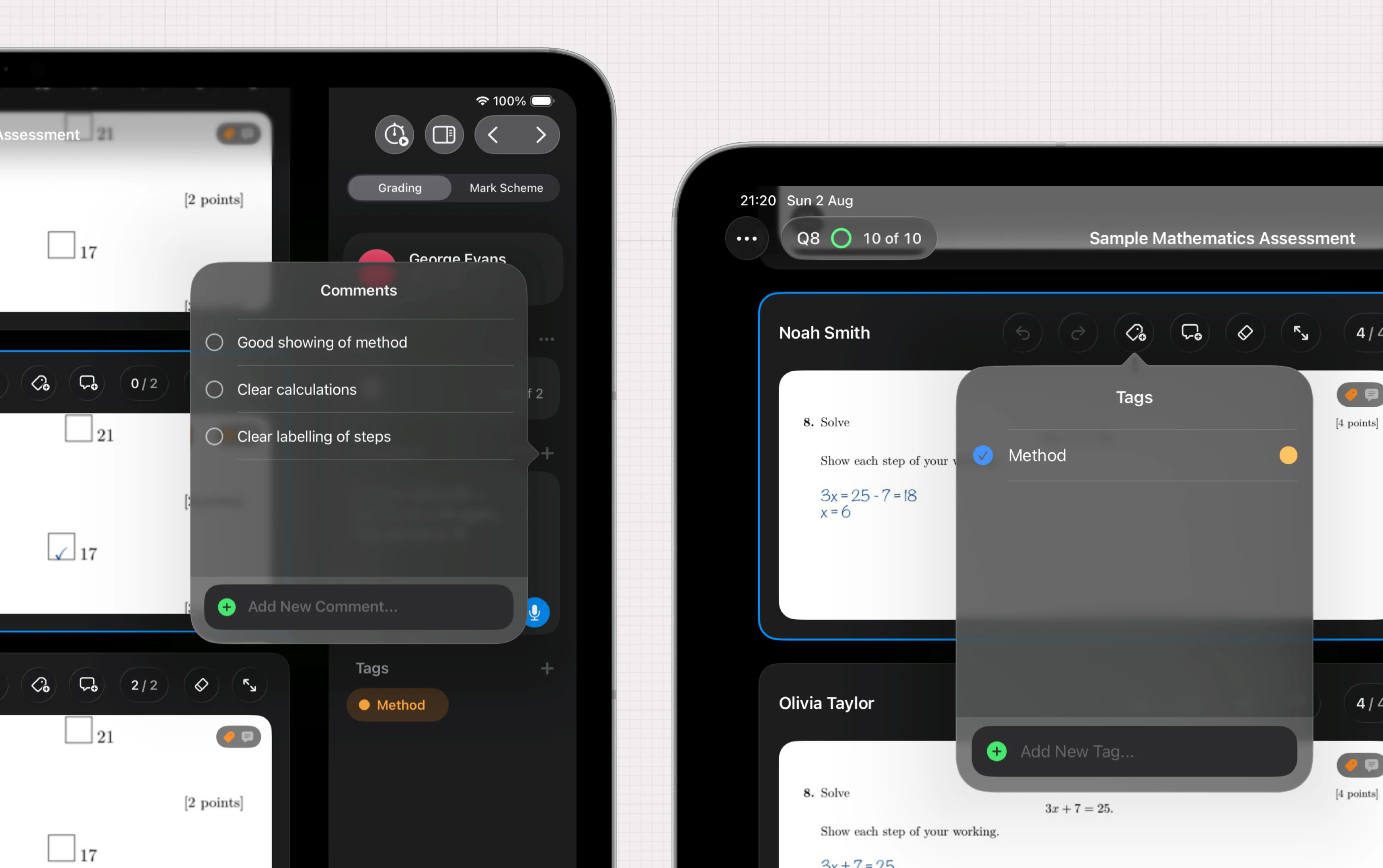
Comment snippets
A reusable feedback library custom to how you mark.
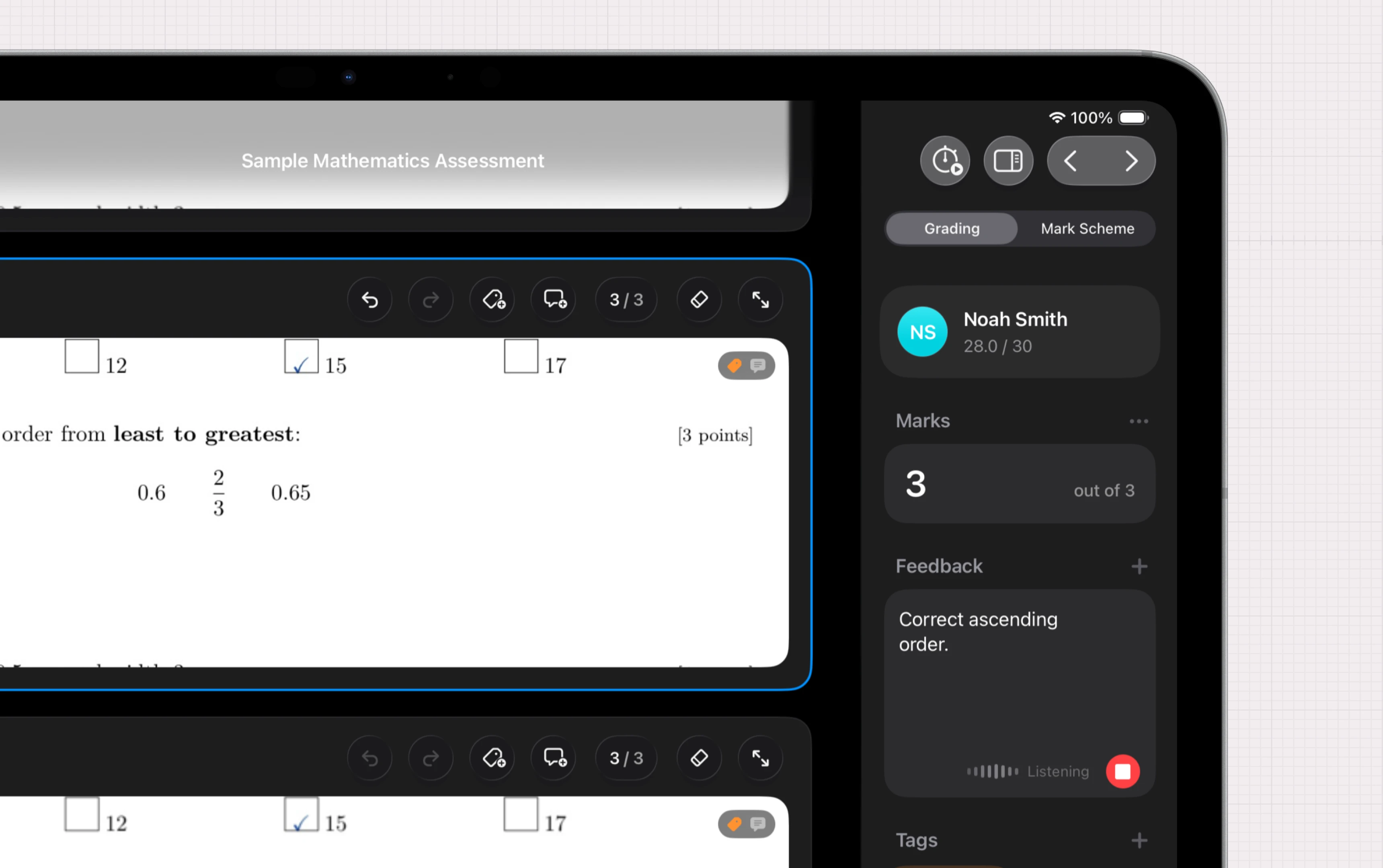
Dictation
Speak comments instead of typing them.
Voice notes
Record spoken feedback for a student's answer.
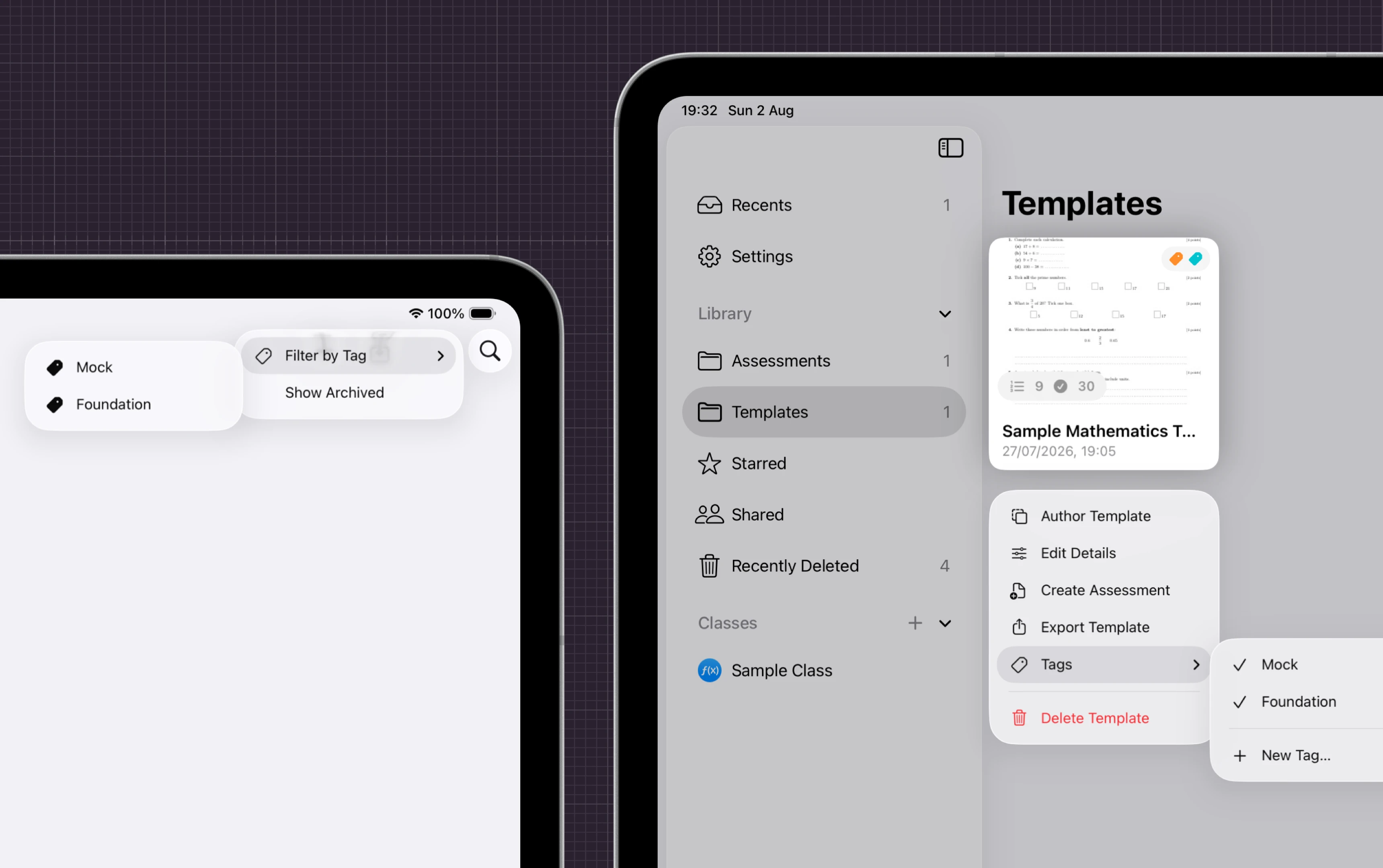
Tags
Label answers by misconception for reteaching.
Name recognition
Reads handwritten names and matches the roster.
Light or dark
System, light or dark theme according to your preference.
App Lock
Face ID or Touch ID to protect your work and privacy.
Anonymise names
Hide students' identities while marking for unbiased feedback, or for privacy when presenting the app.
Keep iPad awake
The screen stays on through a long marking session.
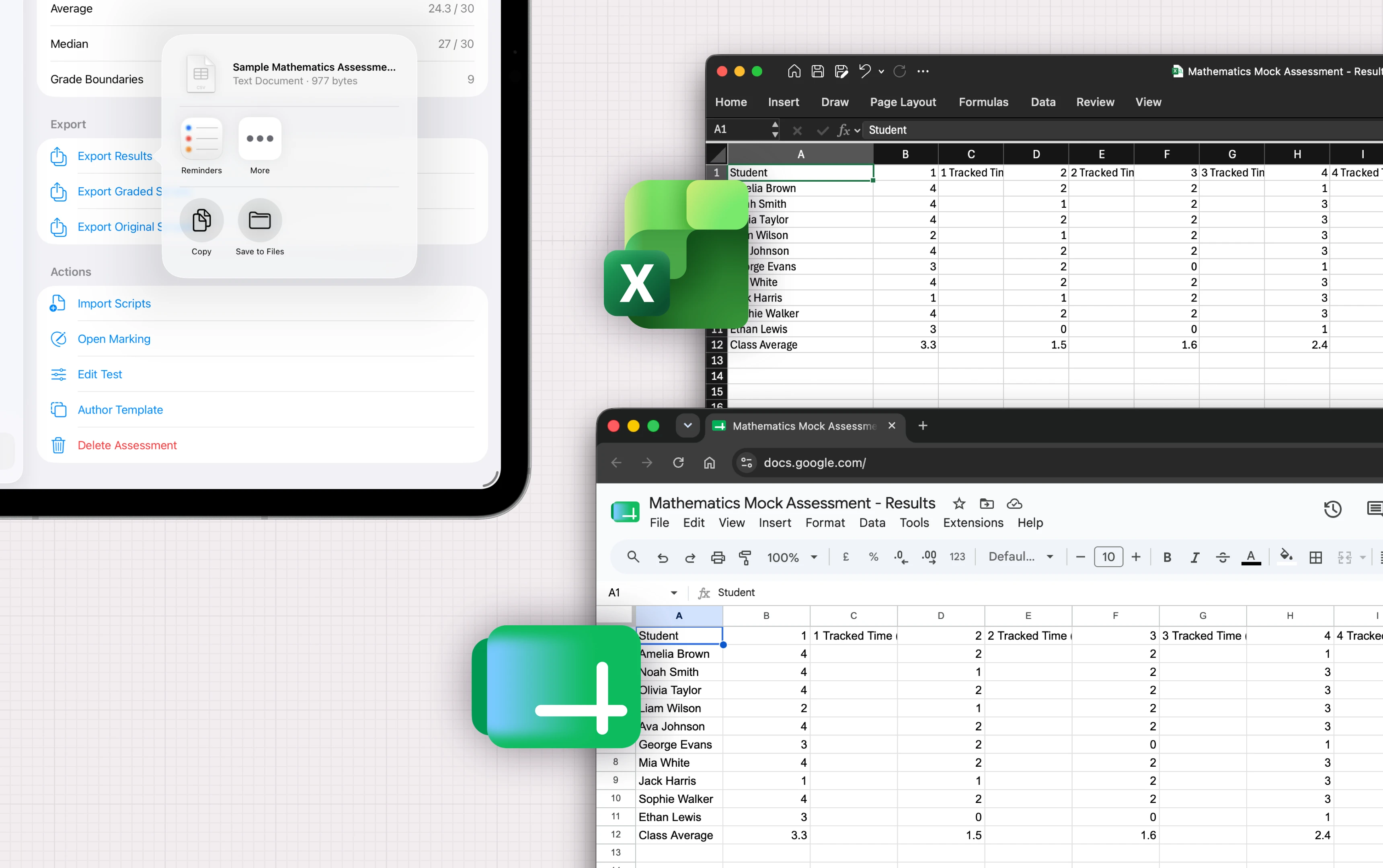
Export everything
Take your whole library out in one archive, whenever you want.
Spreadsheet export
Results as CSV or a class workbook for your MIS.
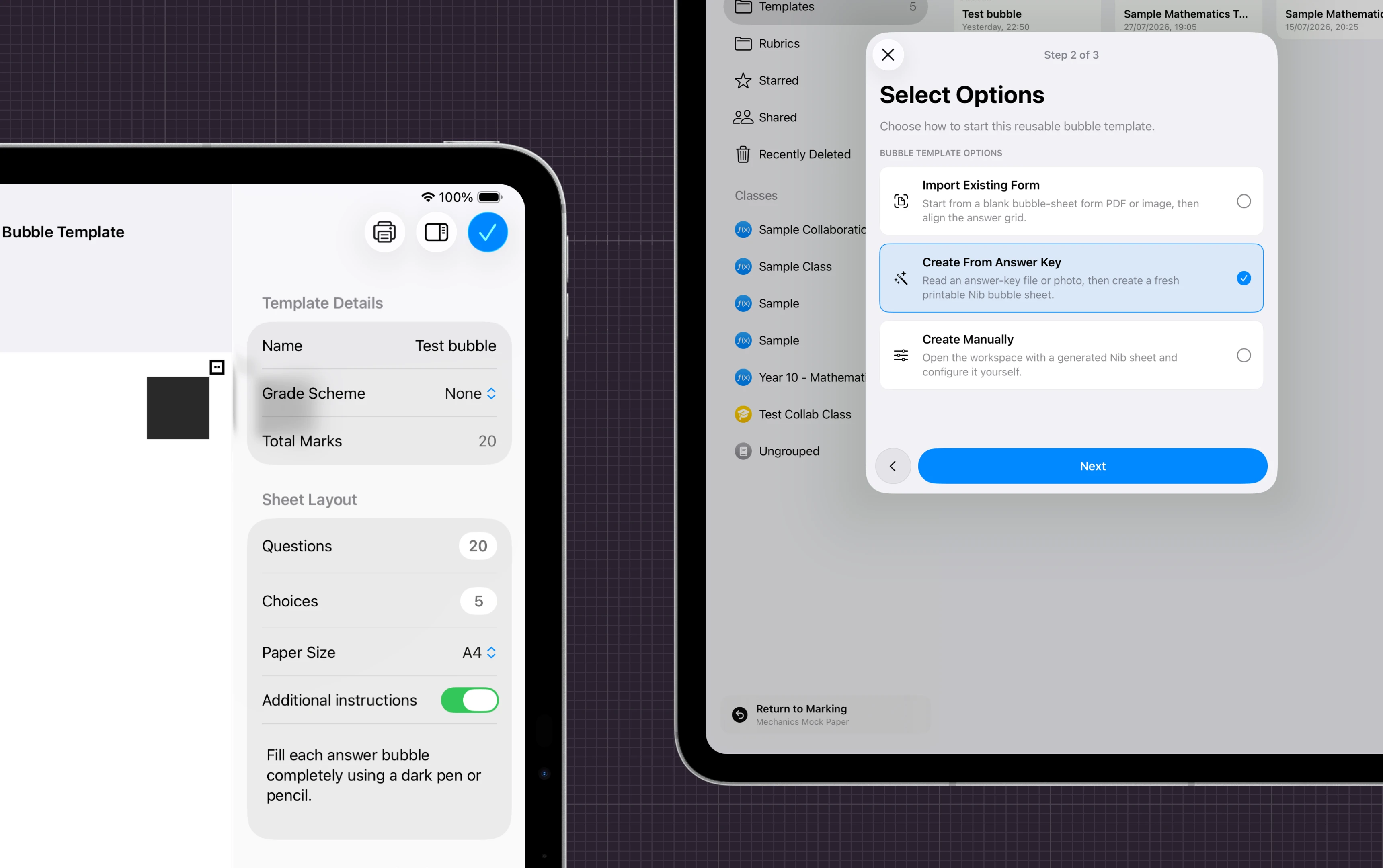
Bubble sheets
Multiple-choice papers print, scan and mark themselves.
Team activity
See who's marking what, and what changed, in a shared assessment.
Built for iPad. Optimised for Mac.
Get the job done wherever and however you work.
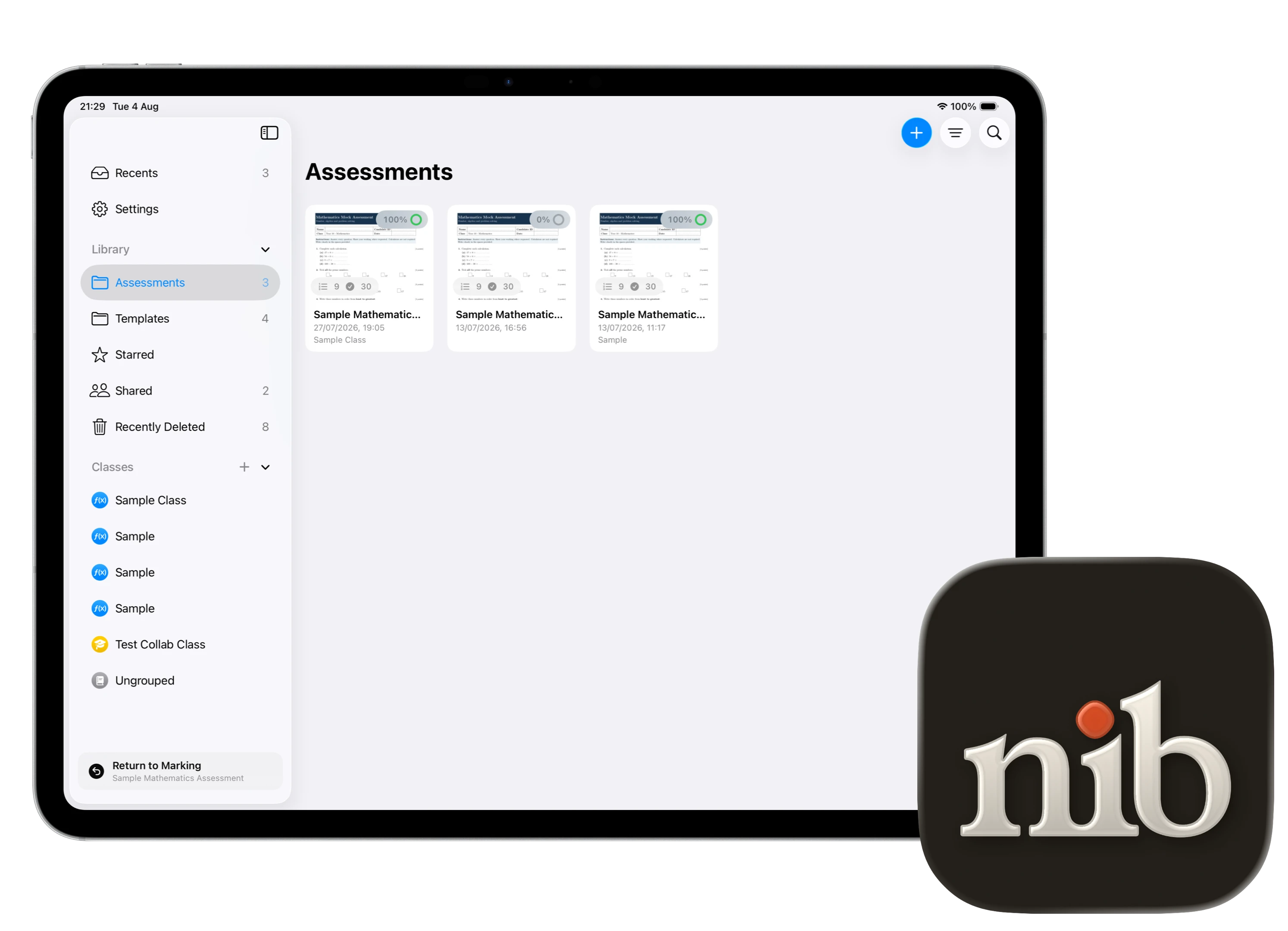
Nib for iPad
Built with native Apple Pencil 1 support. Requires iPadOS 18 or later.
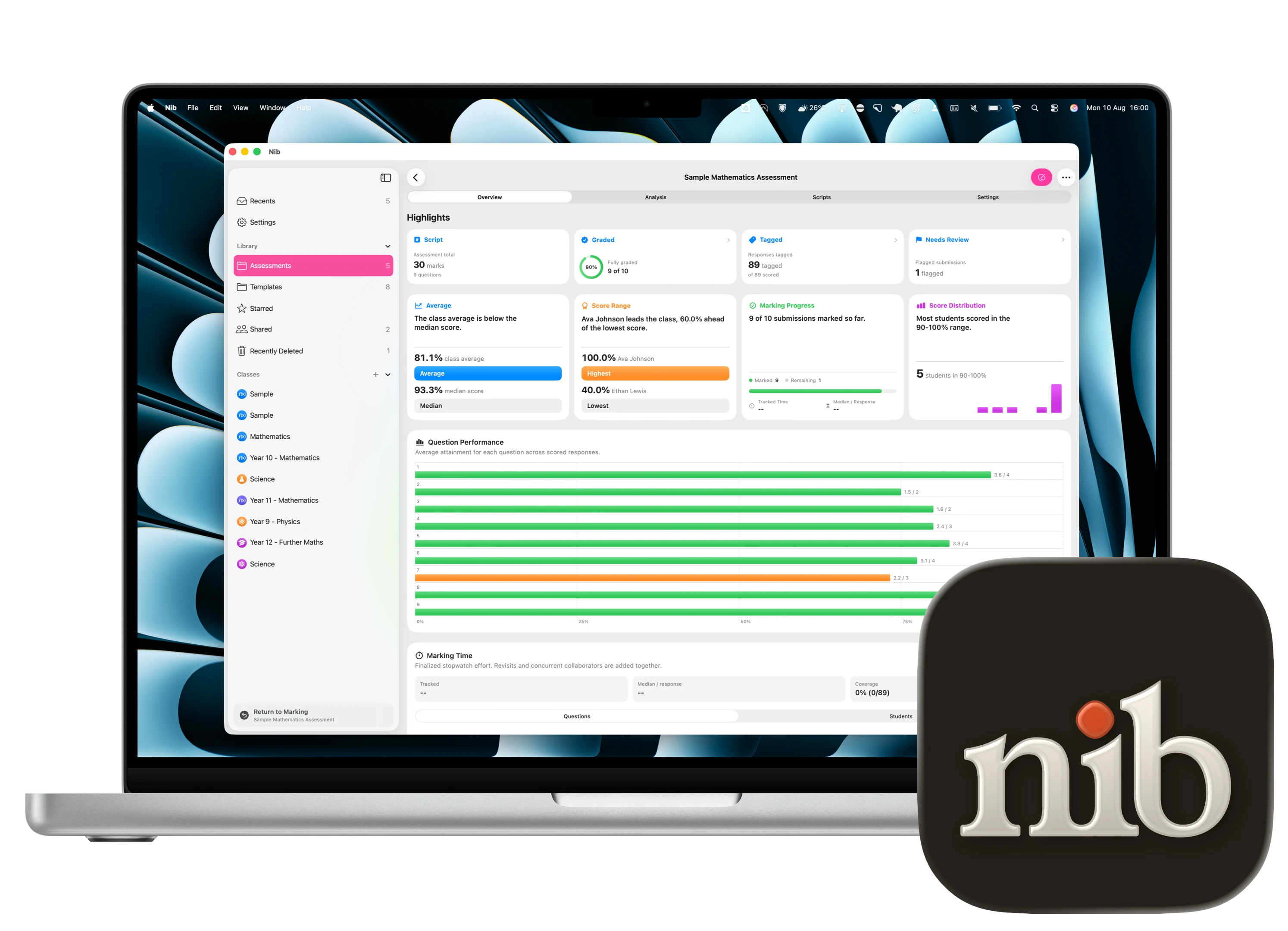
Nib for Mac
For the desk-day jobs — results, exports and insights on the big screen, synced over iCloud 2 . Requires a Mac with Apple silicon.
Privacy matters.
Student work is sensitive and we take that seriously.
On your iPad first
Everything by default is stored locally on your iPad, where you may also enable iCloud syncing.
Encrypted in sync
iCloud syncing is encrypted in transit and at rest, inside your own Apple Account. We don't have access to your data nor any external servers.
Private by design.
No ads or behavioural profiling. Cookie-free site measurement never receives student work or assessment content.
Marked, and moving on.
What our current teachers say after their first trial with Nib.
A full class set of mocks marked in one free period. I used to take these home for the weekend.
The annotation tools are intuitive and feels natural. I especially like the stamping tool for quick shorthand feedback.
The quick scoring keypad is a game-changer. Score and next. Done.
Feedback library means I can reuse comments across scripts which makes my marking faster and more consistent.
My team can organise sharing of marking load with ease including for those who are working from home or not on-site.
Works completely offline on the train home, syncs to the Mac by the time I sit down to analyse!
Mapping the paper once and having every script inherit the structure saved our whole department setup time.
Importing the scripts in bulk is a huge time saver especially using our photocopier.
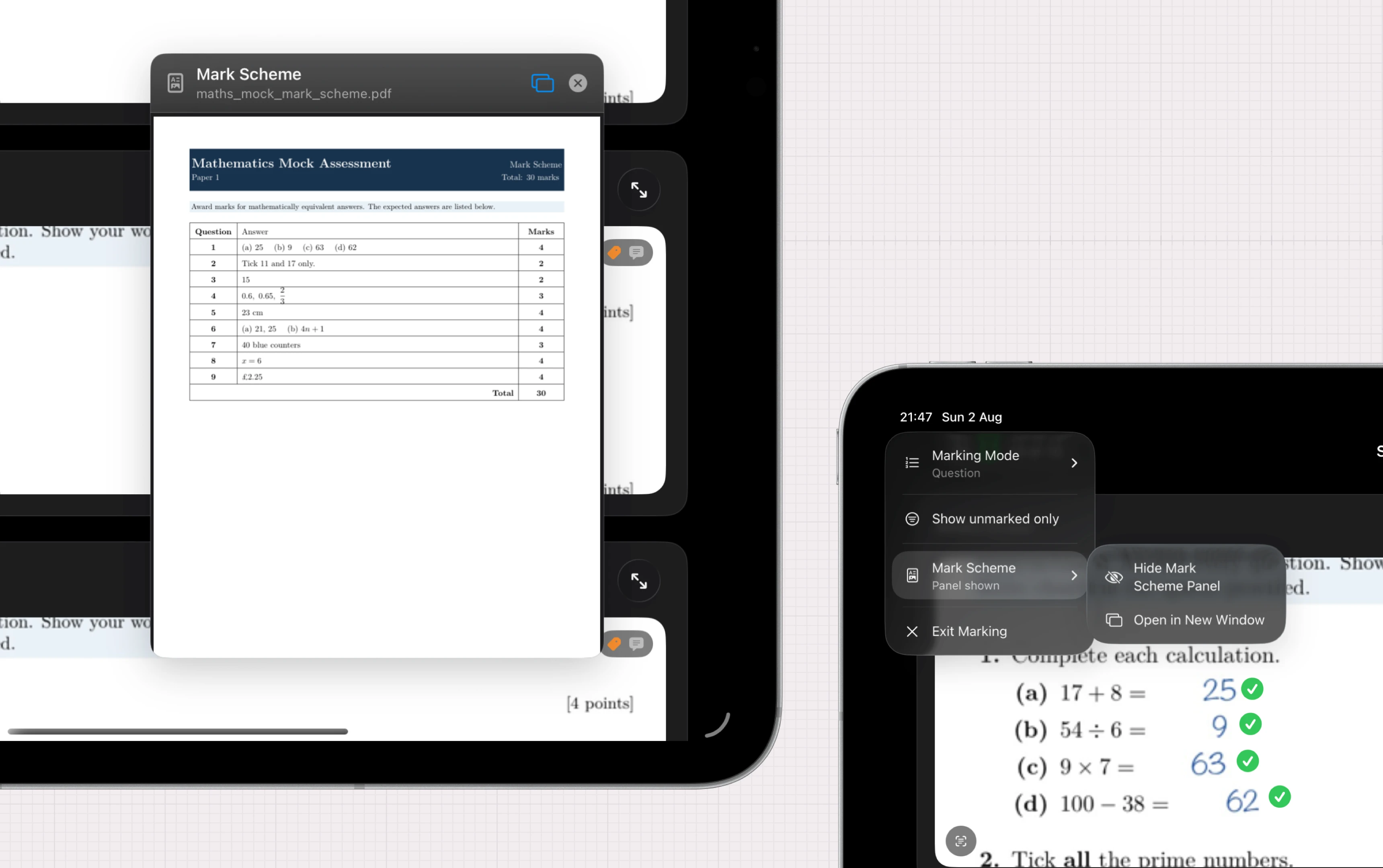
The mark scheme floating beside the answer means no more flipping between two documents.
I accidentally deleted a set and had it back in ten seconds. This gives me peace of mind and confidence in data integrity.
Dictating comments while I read is the feature I did not know I needed. My feedback is more in depth.
Grade boundaries and the distribution appear the moment I finish, and they are customisable too.
Questions, answered.
What type of assessments does Nib support?
Nib supports any assessments — from multiple-choice to essays, from short answer to long-form questions. Nib supports any assessment that can be scanned or photographed.
Does Nib support multiple-choice assessments?
Yes — Nib can automatically mark multiple-choice assessments with bubble sheets, and provide analysis of the results.
Do I have to scan each script individually?
No — scan all of the scripts in one go, using the photocopier feeder helps to speed it up, then import the single PDF file into Nib. Nib will automatically split the pile into per-student scripts for you.
Any tips to speed up scanning?
Trim the staples of multiple scripts in one go. Feed the scripts where the non-trimmed edge is facing the scanner (this reduces the chance of the scripts getting stuck in the scanner), you can rotate the papers in the import step on Nib. Use a photocopier with a feeder to scan multiple scripts in one go. Scan at 300dpi or higher for best results. Enable OCR in the scanner settings if available. Scan in black and white for best results. Scan in portrait orientation for best results.
Does Nib need to sync with my school’s MIS or LMS?
No — Nib works completely offline and does not need to connect to any school system. Nib can export results in CSV or Excel format for your MIS or LMS.
Does Nib only work on iPad or Mac?
Nib is designed for iPad to take advantage of the Apple Pencil, while also supporting Mac for marking and analysis. Nib is not yet available on other platforms.
Does Nib store any data in the cloud?
No — Nib does not store any data in the cloud. All data is stored on your device and can be optionally synced with your own private iCloud for your own backup and multi-device access.
Does Nib use AI to mark the assessments?
No — Nib does not use AI to mark the assessments. All marking is done by the teacher, with Nib providing tools to make the process faster and more efficient. We use on-device machine learning for handwriting recognition and question detection, where no data is sent to any external servers or third parties.
What if I want Nib to use AI to mark the assessments?
We will be taking advantage of Apple’s Private Cloud Compute AI system once we have access to it, which will allow Nib to use AI to mark the assessments without sending any data to any external servers or third parties.
What if I want to use my own AI model to mark the assessments?
We will be providing support to bring your own API keys for major AI providers such as OpenAI, Anthropic and Google. This will be at the user’s own cost and risk, including data privacy and security.
How do I share the completed marking scripts with my students?
Nib can export the completed marking scripts as PDFs, which can be shared with students via email or any other method such as your school’s LMS.
Does it work offline?
Completely. Everything is stored on your iPad first with optional iCloud syncing which syncs when you are online.
How do papers get in?
Scan with the camera, or import PDFs and photos. Nib splits the pile into per-student scripts automatically or with drag-to-split.
Does it support Apple Pencil?
Yes — tick, circle and annotate directly on the script, exactly like a red pen.
Do I have to use Apple Pencil?
No — you can use your finger or a mouse or trackpad to mark the scripts. You can also use any third-party stylus that works with your iPad.
What if I delete something by accident?
Everything destructive is soft-delete. Recover any script, comment or assessment for 30 days.